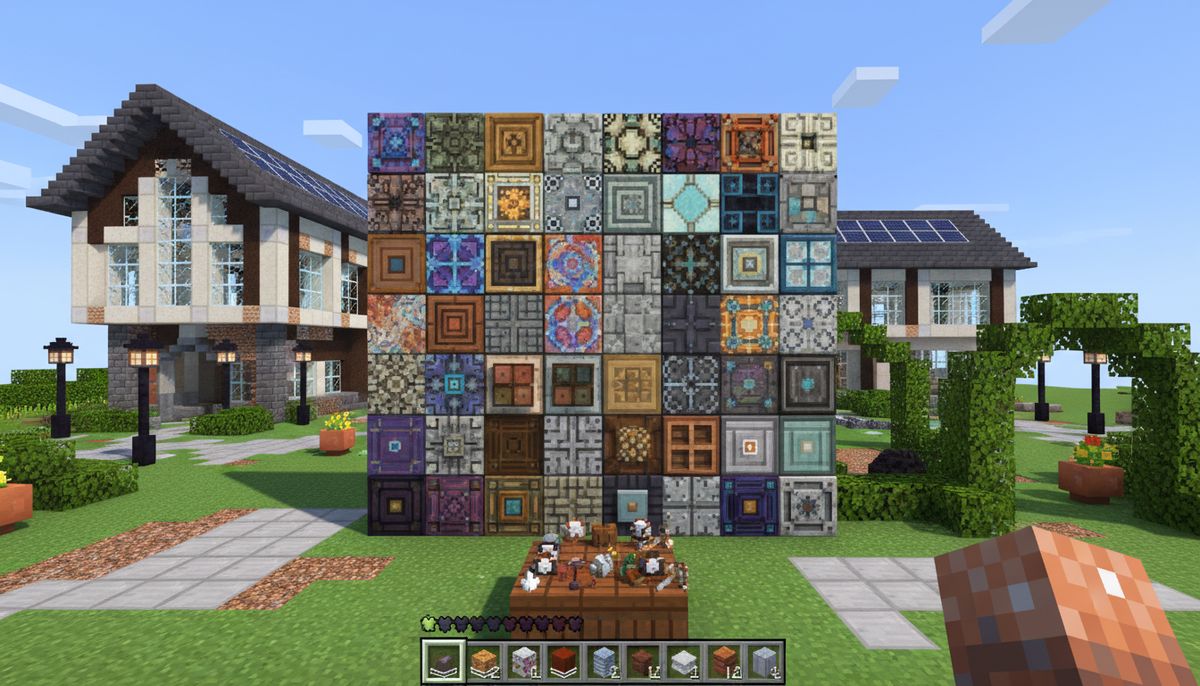
Minecraft में निर्माण सबसे फायदेमंद गतिविधियों में से एक है, लेकिन vanilla ब्लॉक पैलेट और निर्माण उपकरण सीमित महसूस हो सकते हैं जब आप अपने सौवें cobblestone घर का निर्माण कर चुके हों। रचनात्मक बिल्डरों को अधिक विकल्प की आवश्यकता होती है: विविध ब्लॉक प्रकार, बेहतर प्लेसमेंट टूल्स, और सजावटी तत्व जो निर्माण को जीवंत करते हैं। यहीं से building mods का आगमन होता है।
सही addons निर्माण को बुनियादी ब्लॉक प्लेसमेंट से विस्तृत स्थापत्य कार्य में बदल देते हैं। आपको विभिन्न सामग्रियों, रंगों और बनावट में सैकड़ों नए ब्लॉकों तक पहुंच मिलती है। उन्नत प्लेसमेंट टूल्स आपको तेजी से और अधिक सटीकता के साथ निर्माण करने देते हैं। Decoration mods अंतिम स्पर्श जोड़ते हैं जो सामान्य संरचनाओं को व्यक्तिगत स्थानों में परिणत करते हैं। ये उपकरण तब मायने रखते हैं जब आप मध्यकालीन महल, आधुनिक शहर या fantasy परिदृश्य का निर्माण कर रहे हों।
यह गाइड Minecraft Bedrock Edition के लिए आवश्यक building mods को कवर करता है। प्रत्येक addon विशिष्ट ब्लॉक, टूल्स या सुविधाएं लाता है जो वास्तविक निर्माण चुनौतियों को हल करते हैं। हम देखेंगे कि प्रत्येक mod क्या जोड़ता है, यह आपके वर्कफ़्लो को कैसे सुधारता है, और कौन से निर्माण शैली इसे सर्वोत्तम रूप से समर्थन करते हैं।
सभी घर और इमारतें देखें
पूर्व-निर्मित संरचनाओं, blueprints और वास्तुशिल्प डिज़ाइनों का संपूर्ण संग्रह आपकी दुनिया में जोड़ने के लिए तैयार है।
संग्रह देखें →विस्तारित पैलेट्स के लिए नए ब्लॉक संग्रह
Vanilla Minecraft आपको लगभग 800 ब्लॉकों के साथ काम करने देता है, लेकिन कई समान रंग और बनावट साझा करते हैं। ब्लॉक विस्तार addons इसे सैकड़ों नए निर्माण सामग्रियों को जोड़कर हल करते हैं जो coherent सेट में आयोजित होते हैं।
Decorative Blocks Addon 15 सामग्री परिवारों में 300+ नए ब्लॉक जोड़ता है। आपको सफेद, काले और गुलाबी में marble variants मिलते हैं जिनमें polished, brick, pillar और slab रूप होते हैं। Limestone छह रंग विविधताओं में आता है। Granite vanilla के एकल प्रकार से परे लाल, gray और beige विकल्पों में विस्तारित होता है। प्रत्येक सामग्री में पूर्ण ब्लॉक सेट होते हैं: stairs, slabs, walls और सजावटी variants। यह स्थिरता तब महत्वपूर्ण है जब बड़ी संरचनाओं का निर्माण करना है जिन्हें मेल खाने वाले स्थापत्य तत्वों की आवश्यकता होती है।
Ultimate Blocks Plus आधुनिक निर्माण पर केंद्रित 450+ ब्लॉकों के साथ एक अलग दृष्टिकोण लेता है। Concrete vanilla के 16 से परे 40 रंगों में आता है। Glass blocks में frosted, tinted और patterned variants प्रत्येक रंग में शामिल हैं। Metal blocks copper, bronze, steel और titanium को oxidation stages के साथ कवर करते हैं। addon में industrial तत्व शामिल हैं जैसे vents, panels और grating जो समकालीन निर्माण या तकनीकी सुविधाओं के लिए बिल्कुल उपयुक्त हैं।
Material-specific addons विशेष शैलियों के लिए गहरे विकल्प प्रदान करते हैं। Medieval Block Collection ऐतिहासिक निर्माणों के लिए 200+ ब्लॉक प्रदान करता है: thatched roof variants, oak और dark oak में timber framing, weathered और mossy रूपों में cobblestone, और red, brown और gray में clay roof tiles। Fantasy Builder Pack जादुई विषयों के लिए उपयुक्त 180 ब्लॉक जोड़ता है: सात रंगों में crystal formations, glowing runes के साथ enchanted stone, ethereal glass और mystical wood types।
| Addon नाम | ब्लॉक गिनती | सर्वश्रेष्ठ | विशेष सुविधाएं |
|---|---|---|---|
| Decorative Blocks | 300+ | Traditional builds | Complete material sets |
| Ultimate Blocks Plus | 450+ | Modern construction | 40 concrete colors |
| Medieval Block Collection | 200+ | Historical structures | Weathered variants |
| Fantasy Builder Pack | 180+ | Magical themes | Glowing elements |
ब्लॉक विस्तार addons का मुख्य लाभ संगतता है। अधिकांश custom block IDs का उपयोग करते हैं और vanilla blocks को प्रतिस्थापित नहीं करते हैं, इसलिए वे अन्य mods के साथ काम करते हैं और मौजूदा दुनिया को corrupt नहीं करेंगे। आप बस अधिक विकल्प प्राप्त करते हैं कुछ भी खोए बिना।
उन्नत प्लेसमेंट टूल्स और निर्माण उपयोगिताएं
एक समय में ब्लॉक प्लेस करना छोटी परियोजनाओं के लिए काम करता है लेकिन बड़े निर्माणों पर थकाऊ हो जाता है। Tool addons ऐसी कार्यक्षमता जोड़ते हैं जो निर्माण को तेजी देती है और सटीकता में सुधार करती है।
World Edit for Bedrock मोबाइल और कंसोल खिलाड़ियों के लिए legendary building tool को लाता है। addon कई आइटम जोड़ता है जो placement commands को execute करते हैं। wooden axe दो बिंदुओं को tap करके regions को चुनता है। wand item फिर उस region पर operations करता है: fill, replace, copy, paste, stack और rotate। आप तुरंत 50x50 foundation fill कर सकते हैं या एक पूरे tower को copy करके mirror symmetry के साथ paste कर सकते हैं। addon में 20 step history के साथ undo कार्यक्षमता शामिल है, जो गलतियों से बचाता है।
Command syntax सरल रहता है: wand item को hold करें और sign को tap करें जिस पर command लिखा हो। "//set stone" आपके चयन को stone से भर देता है। "//replace dirt grass_block" सामग्री को swap करता है। "//copy" एक संरचना को memory में save करता है, जबकि "//paste" इसे आपके स्थान पर रखता है। Advanced users "//stack 5 up" जैसे parameters जोड़ सकते हैं जो एक संरचना को vertically पांच बार duplicate करते हैं।
Builder's Helper Tools रोजमर्रा के निर्माण के लिए quality-of-life items जोड़ता है। measuring tape दो बिंदुओं के बीच सटीक दूरी दिखाता है, जो coordinates और block count के रूप में प्रदर्शित होता है। level tool सतहों को truly flat होने के लिए check करता है height variations को दिखाकर। angle guide stairs और slabs को precise rotations पर रखने में मदद करता है। blueprint item block arrangements को 16x16x16 तक save करता है और उन्हें कहीं भी रखता है, जो floor designs या wall decorations जैसे repeating patterns के लिए उपयोगी है।
Fast Build Addon creative mode के बिना placement speed को बढ़ाता है। Hammers प्रति click 3x3 ब्लॉक areas रखते हैं। Wands आपकी position से जहां आप aim करते हैं वहां ब्लॉकों की lines रखते हैं। Staff items तुरंत vertical columns भर देते हैं। प्रत्येक tool में durability होती है और craft करने के लिए resources की आवश्यकता होती है, जो survival balance को बनाए रखता है जबकि repetitive placement tasks में नाटकीय रूप से कमी आती है।
Scaffolding Plus vanilla scaffolding को विभिन्न woods और stone materials में variants के साथ विस्तारित करता है जो आपके निर्माण की aesthetic से मेल खाते हैं। अधिक महत्वपूर्ण रूप से, यह permanent scaffolding blocks जोड़ता है जो bottom support को हटाए जाने पर break नहीं होते हैं। ये bridges, towers और frameworks के लिए structural elements के रूप में काम करते हैं जो अंतिम निर्माण में दिखाई देते हैं। addon में rope bridges और chain supports शामिल हैं जो similarly काम करते हैं।
अंदरूनी सजावट और फर्नीचर Addons
खाली कमरे निर्जीव महसूस होते हैं। Furniture mods functional और decorative items जोड़ते हैं जो interior spaces को lived-in और purposeful महसूस कराते हैं। ये architectural blocks के साथ combined होने पर विशेष रूप से अच्छी तरह काम करते हैं ताकि complete environments बनाए जा सकें।
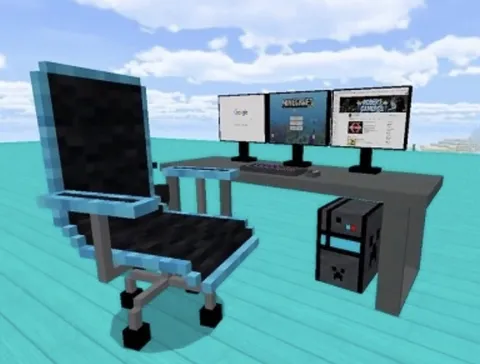
Furniture Addon Plus हर room type में 200+ items शामिल करता है। Kitchens को functional stoves, refrigerators, sinks और cabinets मिलते हैं जिनमें working storage है। Living rooms में sofas, coffee tables, TV screens और multiple wood types में bookshelves होते हैं। Bedrooms में dressers, nightstands, wardrobes और vanilla designs से परे decorative beds होते हैं। Bathrooms में toilets, showers, bathtubs और mirrors शामिल होते हैं। Office items में desks, office chairs, filing cabinets और computer workstations होते हैं।
अधिकांश furniture items में interactions होती हैं। Chairs और sofas पर बैठना simple tapping के माध्यम से काम करता है। Storage furniture inventory screens खोलता है। कुछ decorative items जैसे lamps और TVs on/off states के बीच toggle करते हैं। addon Minecraft की blocky aesthetic को बनाए रखता है जबकि clever model designs के माध्यम से detail जोड़ता है।
furniture category दिखाता है कि कैसे विभिन्न addons विभिन्न दृष्टिकोण लेते हैं। Modern Furniture Pack clean lines और glass elements के साथ contemporary designs पर केंद्रित है। Medieval Furniture Bundle wooden benches, iron chandeliers और stone hearths जोड़ता है। Fantasy Furniture Collection में throne chairs, crystal lamps और enchanted storage chests शामिल हैं।
Decoration Mega Pack फर्नीचर से परे 300+ decorative objects जाता है: 20 varieties में potted plants, विभिन्न sizes में paintings और frames, pattern options के साथ floor rugs, wall clocks, ceiling fans, street lamps, garden ornaments और seasonal decorations। छोटे details मायने रखते हैं। एक well-placed rug, कुछ potted plants और proper lighting generic rooms को specific spaces में specific character के साथ बदल देते हैं।
Working Appliances Addon decorative items में interactivity जोड़ता है। Ovens furnaces की तरह food cook करते हैं लेकिन custom interfaces के साथ। Refrigerators food को longer preserve करते हैं। Washing machines leather armor को clean करते हैं durability को restore करने के लिए। Microwaves higher fuel costs पर fast cooking प्रदान करते हैं। ये functional decorations dual purposes serve करते हैं: visual appeal और practical utility।
Realistic Mods खोजें
Addons जो visual fidelity, physics simulation और lifelike building materials को authentic construction projects के लिए enhance करते हैं।
संग्रह देखें →इलाके और Landscaping Addons
निर्माणों को proper surroundings की आवश्यकता होती है। Landscaping mods natural elements जोड़ते हैं जो संरचनाओं को environments में integrate करते हैं या gardens और outdoor spaces बनाते हैं।
Ultimate Landscaping Pack 150+ natural blocks और items प्रदान करता है। Stone variants में river rocks, multiple sizes में boulders, pebble paths और decorative rock formations शामिल होते हैं। Plant options vanilla flowers से परे bushes, ferns, tall grass variants, fallen logs, tree stumps और hanging vines को different colors में विस्तारित करते हैं। Water features में pink और white में lily pads, lotus flowers, cattails और decorative fountain pieces शामिल होते हैं।
addon में gravel, stone, brick और wood plank designs में path blocks शामिल होते हैं। ये terrain में naturally integrate होते हैं और walkways के लिए full blocks रखने से बेहतर दिखाई देते हैं। Edging blocks garden beds को define करने में मदद करते हैं और landscaping sections को separate करते हैं। Mulch और soil variants different colors में plants के चारों ओर realistic ground cover जोड़ते हैं।
Garden and Farm Decoration agricultural aesthetics पर केंद्रित है। आपको scarecrows, tool sheds, wheelbarrows, planter boxes, trellises, more styles में fence gates और farm equipment जैसे plows और carts मिलते हैं। Crop row markers farms को visually organize करने में मदद करते हैं। Beehive decorations और bird houses outdoor spaces में life जोड़ते हैं। ये items cottage builds, farm complexes या village expansions के लिए great काम करते हैं।
Terrain Sculptor Tools items जोड़ता है जो existing landscapes को modify करते हैं। terraform tool terrain transitions को different height levels के बीच smooth करता है। path creator automatically natural-looking trails को forests या mountains के माध्यम से generate करता है। water shader tool lakes और rivers को deeper और clearer दिखाता है actual blocks को change किए बिना। vegetation spreader plants और grass को areas में randomized placement के साथ distribute करता है natural appearance के लिए।
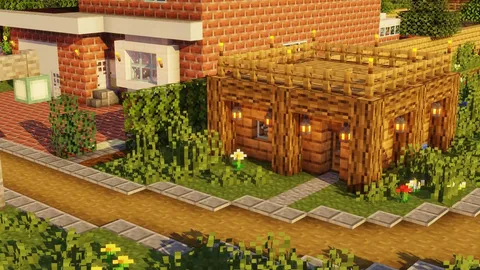
Landscaping addons को houses के साथ combine करना complete properties बनाता है। एक medieval cottage flat grass पर अकेले sitting से infinitely बेहतर दिखता है जब एक vegetable garden, stone path और surrounding forest details हों।
प्रकाश और Ambiance सुधार
Lighting एक निर्माण के atmosphere को बनाता या तोड़ता है। Vanilla torches और lanterns functionally काम करते हैं लेकिन aesthetic options को सीमित करते हैं। Lighting addons ऐसी fixtures प्रदान करते हैं जो architectural styles से मेल खाते हैं और specific moods बनाते हैं।
Advanced Lighting Addon अलग-अलग intensities, colors और designs के साथ 80+ light sources जोड़ता है। Chandeliers different ceiling heights के लिए crystal, iron और wood variants में आते हैं। Wall sconces medieval, modern और fantasy styles में accent lighting प्रदान करते हैं। Floor lamps industrial standing lights से decorative lamp posts तक range करते हैं। Ceiling fixtures में recessed lights, track lighting और pendant lamps शामिल होते हैं। प्रत्येक light type subtle glow से torch-equivalent तक different brightness levels emit करता है।
Color options themed builds के लिए महत्वपूर्ण होते हैं। addon में cozy interiors के लिए warm yellow lights, modern spaces के लिए cool white, technical facilities या mood lighting के लिए red/blue/green में colored lights और fantasy builds के लिए magical glowing crystals शामिल होते हैं। Vanilla torches के विपरीत, ये lights finished constructions में out of place नहीं दिखते।
Hidden Lighting Pack उस समस्या को हल करता है जहां visible light sources clean designs को ruin करते हैं। यह invisible light blocks जोड़ता है जो fixtures दिखाए बिना areas को illuminate करते हैं, जो modern minimalist builds के लिए perfect होता है। Glowing floor tiles और ceiling panels flat surfaces को maintain करते हुए light emit करते हैं। Edge lighting strips walls और stairs के साथ run करते हैं बिना protruding के। Underwater lights pools और fountains को illuminate करते हैं obvious sources के बिना।
Seasonal Lighting Collection events और decorations के लिए themed options प्रदान करता है। String lights white और colored variants में posts के बीच drape करते हैं। Lanterns paper, metal और jack-o'-lantern designs में festive touches जोड़ते हैं। Spotlight blocks dramatic building illumination create करते हैं। Neon signs customizable text के साथ modern builds में urban character जोड़ते हैं।
tools section अन्य utilities शामिल करता है जो lighting design को complement करते हैं, जैसे dark spaces में काम करने के लिए night vision items और light level indicators जो बिल्कुल दिखाते हैं कि कौन से blocks को अतिरिक्त illumination की आवश्यकता है।
विशेष निर्माण Mods विशिष्ट शैलियों के लिए
कुछ addons विशेष architectural styles को comprehensive block sets और thematic items के साथ target करते हैं। ये complete themed areas या worlds का निर्माण करते समय सर्वोत्तम काम करते हैं।
Industrial Revolution Pack factory और steampunk aesthetics बनाता है। यह 200+ blocks जोड़ता है जिनमें corrugated metal panels, iron beams और girders, brass fittings, various configurations में copper pipes, floors के लिए metal grating, riveted plates, industrial doors और hatches, और machinery blocks जैसे gears, pistons और boilers शामिल होते हैं। aesthetic technical builds, warehouses, factories, airships और Victorian-era constructions के लिए suitable होती है।
Asian Architecture Bundle Eastern building styles के लिए blocks प्रदान करता है। Glazed ceramic में curved roof tiles, pagoda components, paper और wood lattice में shoji screens, tatami floor mats, scaffolding और decorative forms में bamboo, stone lanterns, torii gates और dragon और floral motifs के साथ ornamental blocks। addon structural templates शामिल करता है जो temples, pagodas और traditional houses के लिए authentic construction methods दिखाते हैं।
Cyberpunk City Builder futuristic urban environments पर केंद्रित है। Holographic blocks animated patterns display करते हैं। Neon trim pieces multiple colors में structures को outline करते हैं। Transparent aluminum और reinforced glass modern facades बनाते हैं। Tech panels circuit patterns के साथ walls को cover करते हैं। Grated floors infrastructure को beneath दिखाते हैं। Advertisement blocks customizable signs display करते हैं। aesthetic sci-fi cities, space stations या dystopian environments के लिए काम करती है।
Underground Dwelling Pack subterranean construction में specializes करता है। Reinforced stone variants aesthetically cave-ins को prevent करते हैं। Glowing fungus और bioluminescent blocks natural lighting प्रदान करते हैं। Carved rock walls lived-in appearance के लिए tool marks दिखाते हैं। Underground water features में proper drainage systems के साथ streams और pools शामिल होते हैं। Support pillars और arches structural realism जोड़ते हैं। Perfect dwarf kingdoms, secret bases या mining operations के लिए जो permanent settlements की तरह महसूस होते हैं।
ये specialty addons generic blocks की जगह विशेष themes पर deep focus demonstrate करते हैं। Same aesthetic से matching texture packs के साथ combined होने पर, वे विशेष architectural styles के authentic recreation को enable करते हैं।
प्रदर्शन विचार और संगतता
अधिक blocks और entities game performance को impact करते हैं, विशेष रूप से mobile devices पर। Smart addon selection lag को prevent करता है जबकि building options को maximize करता है।
Block-only addons का minimal performance impact होता है क्योंकि वे behavior scripts के बिना models जोड़ते हैं। Decorative Blocks Addon और Ultimate Blocks Plus इस category में आते हैं—वे block options को extend करते हैं लेकिन background processes नहीं run करते हैं। ये सभी devices पर अच्छी तरह काम करते हैं।
Entity-based furniture या animated elements के साथ addons को अधिक resources की आवश्यकता होती है। प्रत्येक furniture item technically एक simple block की जगह एक entity spawn करता है। 50+ furniture pieces वाले rooms older devices पर frame drops cause कर सकते हैं। एकल areas में density को limit करें या static block-based furniture alternatives choose करें।
Complex commands का उपयोग करने वाले tool addons बड़े operations को execute करते समय brief lag spikes cause कर सकते हैं। World Edit for Bedrock 100x100x100 region को fill करना processing के दौरान game को temporarily freeze करेगा। बड़े operations से पहले save करें और lower-end hardware पर smaller sections में काम करें।
Building addons के बीच compatibility generally अच्छी होती है क्योंकि अधिकांश unique block IDs का उपयोग करते हैं जिनमें कोई conflict नहीं होता। Survival projects में जोड़ने से पहले creative worlds में नए combinations को test करें। How to Combine Addons Safely on Bedrock पर article load order और conflict resolution को detail में कवर करता है।
कुछ builders specific themes के चारों ओर compatible addons को pre-combine करने वाले Bedrock Modpacks को prefer करते हैं। Building-focused packs में blocks, tools और decorations का tested combination शामिल होता है जो issues के बिना together काम करते हैं।
विभिन्न Builder प्रकारों के लिए सिफारिशें
नए builders को Decorative Blocks Addon जैसे एक comprehensive block expansion addon और एक furniture pack के साथ शुरू करना चाहिए। यह overwhelming choices के बिना variety प्रदान करता है। Vanilla building principles को पहले सीखें, फिर skills विकसित होने के साथ options को expand करें।
Survival players को addons की आवश्यकता होती है जो game balance को maintain करते हैं। ऐसे packs choose करें जहां नए blocks को creative-only items की जगह mining और crafting के माध्यम से resources gathering की आवश्यकता हो। Builder's Helper Tools craftable items के साथ survival contexts में better काम करता है creative-only World Edit से।
Massive projects पर केंद्रित creative builders को placement tools से most फायदा मिलता है। World Edit for Bedrock large-scale constructions जैसे cities या castles के लिए essential बन जाता है। अपने project theme से matching specialty style packs के साथ combine करें।
Detail-oriented builders को basic blocks पर decoration और furniture addons को prioritize करना चाहिए। छोटे touches—proper lighting, furniture arrangements, landscaping details—को add करने की ability उन cases में अधिक मायने रखती है जब अधिकांश builds 20-30 primary materials का उपयोग करते हैं।
Theme-focused builders को generic collections की जगह style-specific packs download करने चाहिए। Medieval Block Collection plus Medieval Furniture Bundle random modern और historical elements को mix करने से better castles बनाते हैं। themed builds में consistency matters करती है।
Phones या tablets पर mobile players को entity-heavy furniture addons को limit करना चाहिए और block-based decorations को prefer करना चाहिए। animated effects वाले lighting addons की जगह static lights के साथ choose करें। प्रत्येक नए mod को add करने के बाद performance को test करें।
Realm servers पर काम करने वाले collaborative builders को ऐसे addons की आवश्यकता होती है जिन्हें सभी players download कर सकें। obscure packs की जगह popular, well-maintained mods पर stick करें। Check करें कि addons multiplayer environments में properly काम करते हैं जहां कुछ block interactions अलग तरीके से behave कर सकते हैं।
सही building addons निर्माण को vanilla blocks को place करने से detailed architectural work में बदल देते हैं। अपनी पसंदीदा style से match करने वाले blocks के साथ शुरू करें, workflow को improve करने वाले tools जोड़ें और builds को life में लाने वाले decorations के साथ finish करें। प्रत्येक addon विशिष्ट limitations को हल करता है और Minecraft Bedrock Edition में जो possible है उसे expand करता है। आपके builds default blocks और torches से बेहतर deserve करते हैं।