Why Quick Build Addon Is Trending Right Now
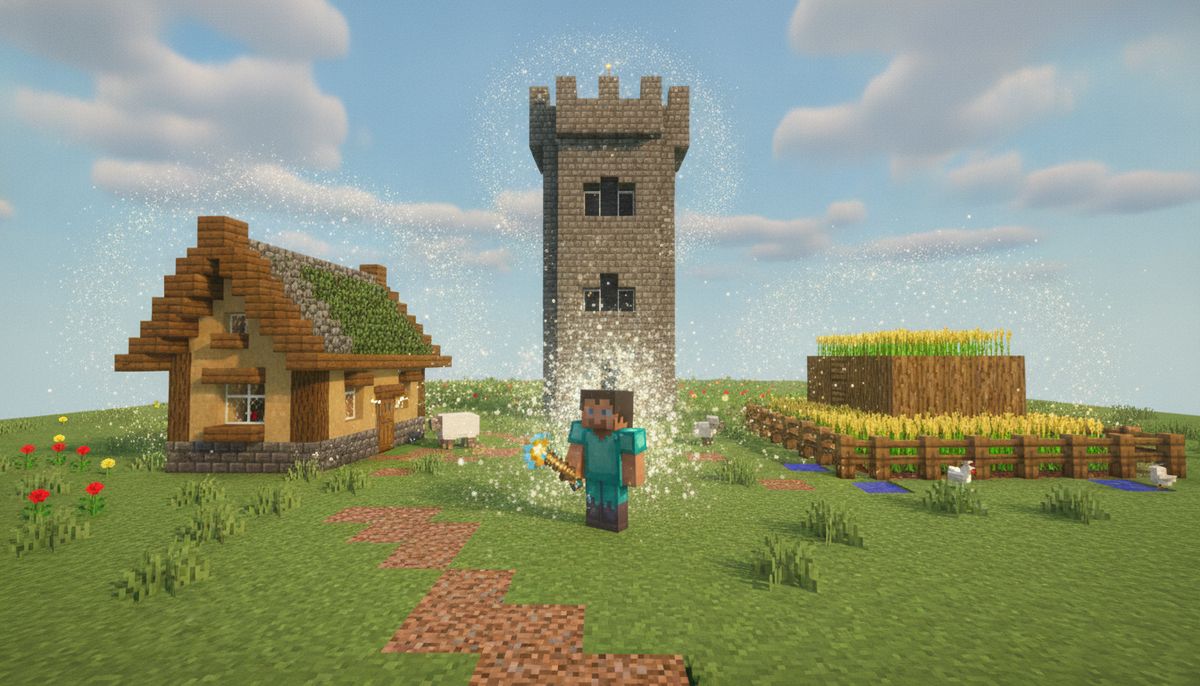
Building in Minecraft is rewarding, but it takes time. Quick Craft allows players to instantly build modern houses, castles, nether portals, farms, underground bases, and much more without placing a single block by hand. That time-saving appeal has pushed Quick Build addons to the top of Bedrock search results in September 2026.
Quick Craft 3.0 by DanteGaming has amassed over 833,700 downloads on CurseForge, making it one of the most downloaded building utilities for Minecraft Bedrock Edition. Meanwhile, QuickBuild by Bi11_Cypher has accumulated over 21,700 downloads since its release. Both versions offer instant structure placement, but they differ in how many builds they include and how you access them.
Players searching for Quick Build right now are often stuck in the planning stage of massive projects. They want farms, starter houses, or decorative structures without the grind. This addon delivers exactly that—pre-built content that drops into the world with one click or command.
Two Main Versions: Quick Craft 3.0 vs QuickBuild
The Quick Build addon ecosystem includes multiple creators and versions. Here is how the two most popular options compare:
| Feature | Quick Craft 3.0 (DanteGaming) | QuickBuild (Bi11_Cypher) |
|---|---|---|
| Downloads | 833,700+ | 21,700+ |
| Total Structures | 257 ready-made builds | 19 structures |
| Menu System | Custom UI with categories | Compass-based GUI with 4 categories |
| Structure Categories | Modern houses, castles, farms, underground bases, vehicles, Pokémon | Pokemon, Buildings, Vehicles, Extras |
| Latest Update | September 2026 | July 2026 |
| Beta APIs Required | Yes | Yes |
| Compatible Versions | Minecraft Bedrock 1.20 and 1.21+ | Minecraft Bedrock 1.21.20+ |
With Quick Craft 3.0, you can create amazing builds instantly with just one click, and the sheer volume of 257 structures gives you options for nearly any project. QuickBuild takes a different approach: Run one command, get a compass, right-click it and a full GUI opens with all 19 structures sorted into categories. Pick one and it spawns 10 blocks in front of wherever you are facing.
Both mods work in survival and creative modes, so you can drop a pre-built barn into your survival world or rapidly prototype a city in creative.
Building and Construction Tools
Discover more addons that speed up building, add new blocks, and unlock construction shortcuts for Minecraft Bedrock.
Browse Collection →Key Features and What You Can Build
Quick Build addons stand out because they eliminate repetitive block placement while offering professionally designed structures. Recent updates have expanded the structure collection with a dedicated castle category for easier browsing, and improved spawn positioning ensures structures now spawn 10 blocks in front of the player based on horizontal facing direction instead of clipping into the ground or spawning inside you.
Structure Library
The range of available builds covers nearly every Minecraft building scenario:
- Starter houses and modern homes: Skip the dirt hut phase and jump straight into a polished base
- Farms: Automated crop farms, animal pens, and production facilities ready to stock and use
- Castles and fortresses: Medieval builds that would take hours to construct by hand
- Underground bases: Hidden bunkers and subterranean lairs complete with rooms and hallways
- Nether portals: Decorated portal frames that look far better than the standard obsidian rectangle
- Vehicles: Cars, planes, and boats for decoration or roleplay servers
- Pokémon builds: Fan-favorite character structures for themed worlds
If you are working on a city, you can drop multiple houses in minutes. Planning a survival world? Place a starter base and focus on resource gathering instead of layout. Building a themed adventure map? Use Quick Build to prototype areas before refining details.
Compass Menu and Navigation
QuickBuild features a native in-game GUI menu—a real Bedrock form UI with category sub-menus and a back button on every page. No chat menus, no typing after setup. Run /function quickbuild in chat to receive a Compass. Hold the Compass and right-click to open the QuickBuild menu. From there, navigate through categories and select your structure.
Quick Craft 3.0 uses a different approach with a hammer tool or structure blocks, depending on the version. Both systems avoid the clunky command-line structure spawning found in older Bedrock addons.
Remove and Replace Structures
One overlooked feature: you can delete structures after placing them. Made a mistake or changed your mind? The addon includes removal functions so you are not stuck with a castle in the wrong spot. This flexibility makes Quick Build useful for testing layouts or iterating on world designs.
How to Download and Install Quick Build Addon on Bedrock
Installing Quick Build on Minecraft Bedrock works the same across iOS, Android, and Windows. The steps below apply to both QuickBuild and Quick Craft versions.
Step 1: Download the Addon File
Find the Quick Build addon from a trusted source. Download the .mcpack or .mcaddon file to your device. On mobile, the file saves to your Downloads folder. On Windows, save it somewhere accessible like your Desktop.
Step 2: Open the File in Minecraft
Tap the downloaded file. It opens in Minecraft and imports automatically—you'll see a confirmation. The addon is now in your game's resource and behavior pack library.
For more detailed installation steps and troubleshooting, check our full guide on how to download and install Minecraft mods on Bedrock Edition.
Step 3: Create or Edit a World
Open Minecraft Bedrock and create a new world, or edit an existing one. Go to the world settings and scroll to the Behavior Packs section. Find the Quick Build behavior pack under Available and tap Activate. Repeat this step for the Resource Pack if the addon includes one.
In Minecraft: open your world, Edit (the pencil), Behavior Packs, the Available tab, tap the pack, Activate. Now do the same under Resource Packs, Available, Activate.
Step 4: Enable Beta APIs (Required)
Quick Build addons use scripting features that require experimental toggles. In the world's Settings, Experiments, turn on "Beta APIs", then play again. Without this toggle, the addon will not load and you will not see any structures in the menu.
Beta API modules require the "Beta APIs" experiment to be turned on in world settings. These APIs can be changed, removed, or added to with very little warning, and are prone to breaking, so keep backups of your worlds before updating Minecraft.
Step 5: Start Your World and Use the Addon
Load into your world. For QuickBuild, run /function quickbuild in chat to receive a Compass. For Quick Craft, follow the specific command or item instructions included with the addon (usually documented on the download page).
Right-click the compass or tool to open the structure menu. Select your category, pick a structure, and watch it appear in front of you.
Platform-Specific Notes
- iOS and iPadOS: Files download to the Files app. Tap to open in Minecraft. See our guide on Minecraft mods for iOS for device-specific tips.
- Android: Downloads appear in your notification tray. Tap to import directly. More details in our Minecraft mods for Android article.
- Windows 10 and 11: Double-click the
.mcpackor.mcaddonfile. Minecraft launches and imports automatically. Full Windows installation steps are in our Minecraft mods for Windows guide.
Is Quick Build Addon Safe and Legit?
Quick Build addons from verified creators like DanteGaming and Bi11_Cypher are safe when downloaded from official addon platforms like CurseForge or MCPEDL. Both creators have established profiles and thousands of downloads with active communities providing feedback.
Red Flags to Avoid
- Unofficial reupload sites: Some sites repackage addons with ads, malware, or outdated files. Stick to CurseForge, MCPEDL, or the creator's official links.
- Requests for personal information: Legitimate addons never ask for account credentials or passwords.
- Suspicious file sizes: If a behavior pack is suddenly 100MB larger than the official version, it may contain unwanted extras.
For a deeper dive into addon safety and how to avoid scam sites, read our full article on are Minecraft mods safe and how to download without viruses.
Will Quick Build Break My World?
Quick Build uses structure spawning and scripting APIs that are part of Minecraft Bedrock's official addon framework. It does not modify core game files. However, Beta API modules require the "Beta APIs" experiment to be turned on in world settings. These APIs can be changed, removed, or added to with very little warning, and are prone to breaking.
Always back up your world before enabling experimental features or installing new addons. If a future Minecraft update changes the scripting API, the addon may stop working until the creator releases an update.
Tips for Using Quick Build Addon Effectively
Plan Your Layout First
Instant structures are fast, but they are also permanent until you remove them. Walk around your world and mark spots where you want buildings before spawning them. Drop a temporary block or use coordinates to keep track of placement points.
Combine with Other Building Mods
Quick Build pairs well with other tools addons that add decorative blocks or furniture. Use Quick Build to place the shell of a house, then fill it with custom furniture from furniture mods or detailed interiors from other addons.
If you are building large cities or themed worlds, combine Quick Build with maps that provide custom terrain, or use it alongside house building addons for even more variety.
Use Creative Mode for Prototyping
Even if you plan to play survival, switch to creative temporarily to test structure placement. Spawn a few buildings, check sight lines and spacing, then remove structures that do not fit. Once you are happy with the layout, place the final versions in your survival world.
Check Compatibility with Other Addons
Quick Build works in most worlds, but if you are running multiple behavior packs that modify game scripts, conflicts can occur. Test Quick Build in a fresh world first. If structures fail to spawn, disable other script-heavy addons one at a time to identify the conflict. Our guide on how to combine addons safely on Bedrock explains load order and common conflict sources.
Remove Unwanted Structures Immediately
If a structure spawns in the wrong spot or clips into terrain, remove it right away using the addon's removal function (check the creator's instructions for the specific command or menu option). Leaving misplaced builds creates clutter and makes future edits harder.
Alternatives to Quick Build Addon
If Quick Build does not fit your needs, several other addons offer similar instant-building or construction-assist features:
Construct Addon
The closest thing Bedrock has ever had to Litematica. Construct eases the survival building process and helps multiple players build together. Easy Place always places blocks correctly. Material Grabbing pulls required materials from chests in just one click. Unlike Quick Build, Construct focuses on helping you build manually with smart assistance rather than spawning finished structures.
Effortless Building Addon
Easy Build is inspired from the mod "Effortless Building" from Minecraft Java Edition. Make creations in your world effortlessly with Easy Build. This mod offers multiple building modes (like mirroring and arrays) that speed up repetitive block placement. It complements Quick Build—use Quick Build for large structures and Effortless Building to customize details.
Manual Building with Planning
Not every player wants instant structures. If you prefer the creative process of building by hand but want inspiration, browse our collections of houses, castles, and vehicles for ideas. You can also download maps that include pre-built cities and reverse-engineer the designs.
For survival players who want progression-based building, check out survival addons that add new tools, resources, and crafting tiers without skipping the construction process entirely.
Get More Building Tools and Addons
Quick Build addons solve a specific problem: they eliminate the time sink of placing thousands of blocks. Whether you use Quick Craft 3.0's massive library of 257 structures or QuickBuild's streamlined 19-structure menu, both versions deliver instant results for Bedrock players on iOS, Android, and Windows.
If you are building a world from scratch, renovating an old save, or setting up a multiplayer server, Quick Build cuts down setup time so you can focus on gameplay. Just remember to enable Beta APIs, back up your worlds, and test structure placement in creative mode before committing to survival builds.
Explore Building and Construction Addons
Find more instant-build tools, block packs, and construction utilities to speed up your Minecraft Bedrock projects.
Browse Tools Collection →