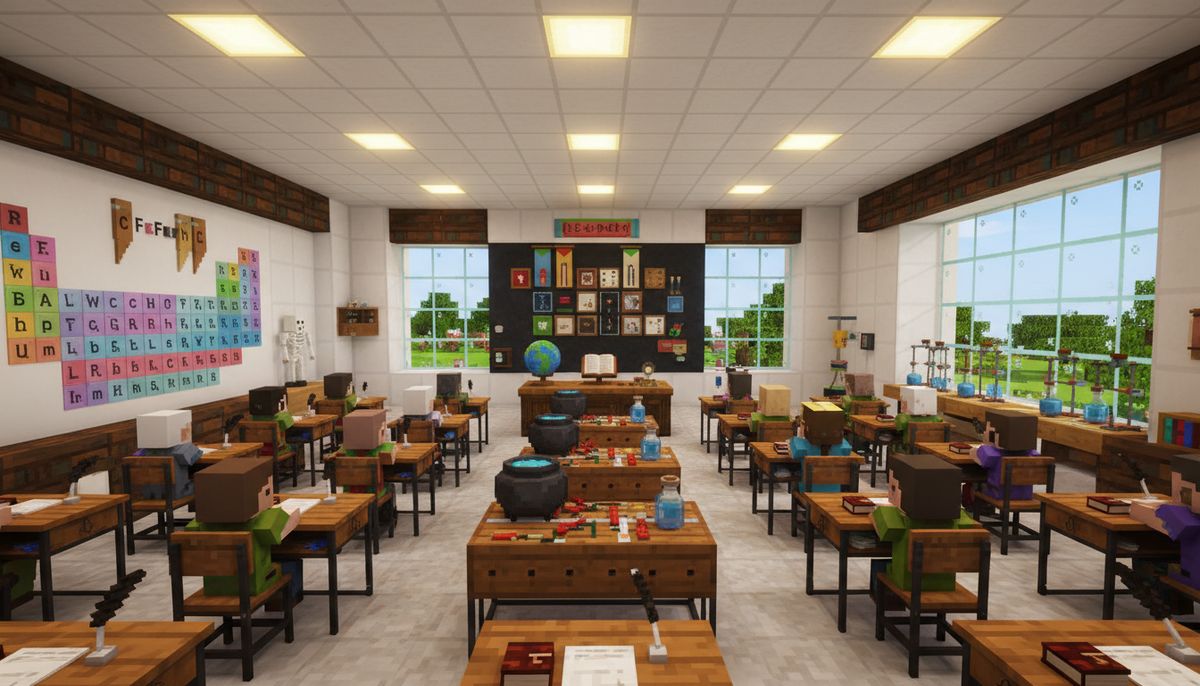
Minecraft has evolved far beyond simple block-breaking and building. Teachers, parents, and educational content creators have discovered the game's incredible potential as a learning environment. School and education addons transform Bedrock Edition into an interactive classroom where students can explore science labs, attend virtual lectures, and engage with educational content in ways traditional classrooms can't match.
The right addons bring authentic school environments to life with functional desks, laboratory equipment, whiteboards, and educational tools. Students can conduct virtual chemistry experiments, explore anatomical models, practice mathematics through interactive puzzles, or simply roleplay school scenarios that make learning feel like play. These mods bridge the gap between entertainment and education, creating spaces where curiosity thrives.
Bedrock Edition's compatibility across mobile, console, and Windows platforms makes it the ideal choice for educational settings. Schools and homeschool environments can deploy these addons across diverse devices without worrying about Java Edition limitations. The following addons represent the best educational content available for Minecraft Bedrock, each offering unique tools to transform your world into a learning hub.
Complete School Environment Addons
School Environment addons provide comprehensive packages that include everything needed to build authentic educational facilities. These mods pack dozens of items into single installations, saving time and ensuring visual consistency across your builds.
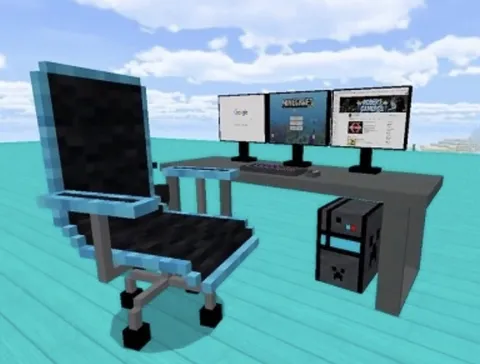
The Modern School Addon delivers over 80 school-related items including classroom desks, teacher podiums, computer labs, cafeteria tables, lockers, and hallway decorations. Desks support interactive sitting animations, and computers feature functional screen displays. The addon includes both elementary and high school furniture styles, letting builders create age-appropriate environments. Version 2.3 added science lab equipment including microscopes, beakers, and periodic table posters that students can examine up close.
Education Plus transforms standard blocks into educational tools. Chalkboards function as writable surfaces where teachers can draw diagrams or write assignments. The addon includes 3D models for globes, anatomy skeletons, and mathematical manipulatives. Bookshelves display actual textbook spines with subject labels for mathematics, science, history, and literature. The chemistry set allows players to combine items and observe reactions, creating a simplified introduction to chemical principles.
School Roleplay Complete focuses on interactive gameplay rather than just decoration. Students receive backpacks that increase inventory space, lunch trays that require visiting the cafeteria, and notebooks that store written information. The grading system lets teachers evaluate player-built structures or completed tasks, assigning letter grades that appear on report cards. Bell schedules trigger automated announcements, creating structured class periods that mirror real school days.
Furniture Collection
Expand your educational builds with desks, chairs, decorations and functional furniture perfect for classrooms and study spaces.
Browse Collection →Science Laboratory and STEM Addons
STEM-focused mods bring scientific equipment and experiments directly into Minecraft. These addons support hands-on learning in chemistry, physics, biology, and engineering disciplines.
Chemistry Lab Addon introduces 40+ laboratory items including bunsen burners, test tube racks, centrifuges, and safety equipment. The functional chemistry system lets players combine elements to create compounds, teaching basic chemical formulas through gameplay. Mixing hydrogen and oxygen produces water. Combining carbon and oxygen creates carbon dioxide. The periodic table block displays all 118 elements with atomic numbers and symbols. Safety goggles and lab coats provide actual armor protection, reinforcing laboratory safety concepts.
Physics Playground adds mechanics demonstrations to your world. Lever and pulley systems demonstrate mechanical advantage. Inclined planes show gravity and friction principles. Pendulums swing with realistic physics, and spring systems demonstrate elastic potential energy. The electricity circuit system uses redstone integration to teach basic electrical concepts including series and parallel circuits, resistance, and voltage.
Biology Lab brings living systems into focus. Microscope blocks let players examine cellular structures rendered in 3D. Anatomical models display human organ systems with removable parts for study. Plant growth stations accelerate crop cycles while displaying growth stages, teaching photosynthesis and plant biology. DNA helix models demonstrate genetic structures, and dissection tables provide ethical alternatives to real specimens.
Engineering Workshop encourages applied STEM learning. Blueprint tables let players design structures before building, teaching planning and spatial reasoning. Measurement tools including rulers, protractors, and levels help students learn precision and accuracy. 3D printer blocks convert designs into physical items, demonstrating additive manufacturing concepts. Robotics components let players build simple automated machines, combining redstone knowledge with engineering principles.
Interactive Learning Tool Addons
These specialized addons focus on specific educational functions rather than environmental decoration. They turn Minecraft into an active learning platform with built-in assessments and challenges.
Mathematics Builder transforms block placement into mathematical learning. Number blocks display values from 0-9, and operator blocks show addition, subtraction, multiplication, and division symbols. Students build visual representations of equations, making abstract concepts concrete. The fraction wall helps visualize equivalent fractions and decimal conversions. Geometry tools include protractors, compasses, and shape generators that create perfect circles, triangles, and polygons impossible in vanilla Minecraft.
Reading and Writing Addon expands book functionality dramatically. Enhanced books support 500-page stories compared to vanilla's 50-page limit. Font customization includes different sizes and colors for emphasis. Printing press blocks duplicate books for classroom distribution. Library catalog systems organize books by subject with search functionality. Story builder templates guide creative writing with prompts and structure suggestions.
Geography and Mapping Tools enhance exploration and spatial learning. Cartography stations create detailed maps with legends, scale indicators, and coordinate grids. Compass blocks point toward custom waypoints rather than just spawn points. Topographical map displays show elevation changes in color-coded layers. Weather stations track biome-specific climate data, teaching meteorology basics. Cultural landmark blocks represent famous world structures for geography lessons.
History Timeline Addon brings historical periods to life. Era-specific furniture sets represent ancient civilizations through modern times. Historical figure NPCs share information about their accomplishments when approached. Timeline blocks arrange chronologically, helping students understand historical sequences. Artifact examination stations display 3D models of historical objects with descriptive text explaining their significance and cultural context.
Classroom Management and Administration Mods
Running an educational Minecraft server requires organization tools. These addons help teachers manage student activities, track progress, and maintain orderly virtual classrooms.
Teacher Control Panel provides administrative functions through a single interface. Attendance tracking logs student login times and session durations. Activity monitors show what each player builds or explores in real-time. Announcement systems broadcast messages to all players or specific groups. Time control lets teachers freeze daylight during lessons, preventing unwanted mob spawns. Teleportation tools move entire classes between learning stations instantly.
Assignment and Quest System structures learning objectives as in-game missions. Teachers create custom quests requiring students to build specific structures, gather materials, or reach locations. Completion criteria include block counts, time limits, and accuracy requirements. Automated grading checks completed work against templates, providing immediate feedback. Progress dashboards show which students completed assignments and which need additional support.
Behavior Management Addon handles classroom discipline through game mechanics. Positive reinforcement rewards students with experience points, special titles, or cosmetic items for helpful behavior and completed work. Warning systems give players notifications before applying consequences. Time-out zones restrict movement to designated areas when behavior correction is needed. Reward stores let students spend earned points on privileges like flight mode or special building materials.
Collaborative Building Tools facilitate group projects. Claim blocks let student teams protect shared building areas. Synchronized build mode shows ghost blocks from templates, helping groups construct complex structures accurately. Resource pooling systems share materials among team members automatically. Progress tracking shows each student's contribution to group projects, ensuring fair participation assessment.
Subject-Specific Educational Addons
Certain addons target individual subjects with deep, specialized content that goes beyond general school environments.
Language Learning Lab supports vocabulary and grammar instruction. Vocabulary blocks display words in multiple languages when examined. Sentence builder systems let students arrange word blocks into grammatically correct structures. Pronunciation guides play audio for language learners. Translation stations convert signs and books between supported languages. Cultural context blocks explain idioms and expressions that don't translate literally.
Art and Music Studio brings creative subjects into Minecraft. Expanded color palettes offer 256 concrete colors for pixel art projects. Canvas blocks display player-created artwork in gallery-ready frames. Musical instruments play actual notes when activated, teaching scales and composition. Sheet music blocks display notation, helping students learn to read music. Animation tools create stop-motion sequences from sequential builds.
Physical Education and Health addon promotes wellness education. Fitness equipment including treadmills, weights, and yoga mats provide interactive exercise demonstrations. Nutrition blocks display caloric and nutritional information about Minecraft food items. Sports equipment spawns balls, nets, and goals for mini-games teaching teamwork and coordination. Health tracking shows player stats related to hunger, sprinting, and jumping as metaphors for real fitness.
Economics and Business Simulation creates functioning market economies. Currency systems use custom coins for transactions. Shop blocks let students create businesses selling goods and services. Supply and demand mechanics adjust prices based on availability. Banking systems handle savings, loans, and interest calculations. Stock market simulators teach investment principles through simplified trading.
Building and Customizing Educational Spaces
Beyond pre-made addons, successful educational Minecraft environments require thoughtful building strategies. These practical approaches help maximize learning potential.
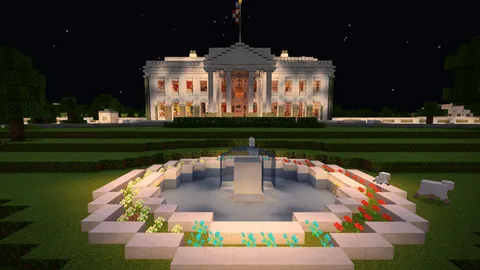
Start with a central campus layout connecting specialized buildings through pathways. Main administration building houses teacher controls and student spawn points. Separate structures for different subjects prevent overwhelming new students. Cafeteria and recreation areas provide social spaces between lessons. Outdoor amphitheaters work well for large group instruction.
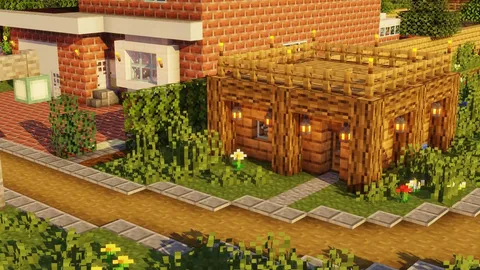
Combine education addons with complementary mods for richer environments. Furniture addons add comfortable seating and storage solutions. Realistic texture packs make school environments more authentic. Building mods provide additional architectural blocks for impressive facades. These combinations create immersive educational worlds that feel professional and polished.
Color-coding helps students navigate quickly. Use consistent block palettes for each subject area—blue for science, red for mathematics, green for environmental studies. Signage at every intersection prevents confusion. Floor numbers and room labels displayed prominently help students reach correct locations. Maps posted at central locations provide campus overviews.
Create dedicated student and teacher zones. Teacher workrooms need access to administrative controls without student interference. Student common areas encourage socialization and collaboration outside formal lessons. Private study spaces support individual work. Group project areas provide resources for team assignments. Clear boundaries prevent unauthorized access to sensitive areas.
Interactive demonstrations beat static displays every time. Rather than placing a chemistry set as decoration, create functional experiments students actually perform. Build working mathematics demonstrations that players manipulate. Design history exhibits with hidden stories revealed through exploration. Active engagement produces better learning outcomes than passive observation.
Practical Tips and Recommendations
Start small when implementing educational addons. Install one comprehensive school environment mod first, then add specialized subject addons as needed. Too many mods simultaneously can cause conflicts or overwhelm students with options. Test each addition in creative mode before introducing to students.
Version compatibility matters significantly. Always verify addons work with your current Minecraft Bedrock Edition version. Educational environments benefit from stability, so avoid updating during active teaching periods. Maintain backup worlds before installing new addons, protecting against data loss.
Student age determines appropriate addon complexity. Younger learners need simple, colorful environments with clear instructions. Older students benefit from sophisticated tools offering depth and challenge. Match addon features to developmental stages for best results.
Combine addons with traditional teaching methods. Minecraft supplements education rather than replacing it entirely. Use virtual labs alongside real experiments. Supplement Minecraft geography lessons with actual maps. Blend digital and physical learning for comprehensive understanding.
Server settings impact educational effectiveness. Disable PvP to prevent distractions and conflicts. Set appropriate difficulty levels matching lesson objectives. Use command blocks to enforce rules automatically. Regular backups prevent losing student work to technical issues.
Communication tools outside Minecraft enhance coordination. Discord servers, classroom websites, or learning management systems help share instructions and collect assignments. Screenshots and videos let students showcase work. Screen sharing during lessons helps students follow along with demonstrations.
Performance optimization keeps lessons running smoothly. Limit view distance on lower-end devices. Choose FPS-friendly texture packs for older hardware. Schedule resource-intensive lessons when server load is light. Monitor performance metrics to identify bottlenecks before they disrupt learning.
Assessment strategies should leverage Minecraft's unique capabilities. Building projects demonstrate spatial reasoning and planning. Exploration quests test knowledge retention. Collaborative challenges evaluate teamwork and communication. Creative problem-solving shows higher-order thinking better than traditional tests.
The best educational Minecraft experiences balance structure with creativity. Provide clear objectives while allowing personal expression. Establish rules that maintain order without stifling exploration. Guide learning without controlling every action. The sweet spot between freedom and guidance produces engaged, motivated students.
Educational addons transform Minecraft from entertainment into powerful learning environments. The mods listed here represent proven tools for bringing subjects alive through interactive experiences. School environments become engaging spaces where students want to spend time. Laboratory equipment makes abstract concepts tangible. Management tools help teachers orchestrate complex lessons efficiently.
Successful implementation requires planning, testing, and iteration. Monitor what works and adjust what doesn't. Seek student feedback about addon features and gameplay elements. Educational technology thrives when learners help shape the experience. The result is a dynamic classroom where learning feels like adventure and education becomes genuinely enjoyable.