
Why VHS Texture Packs Are Trending on Bedrock Right Now
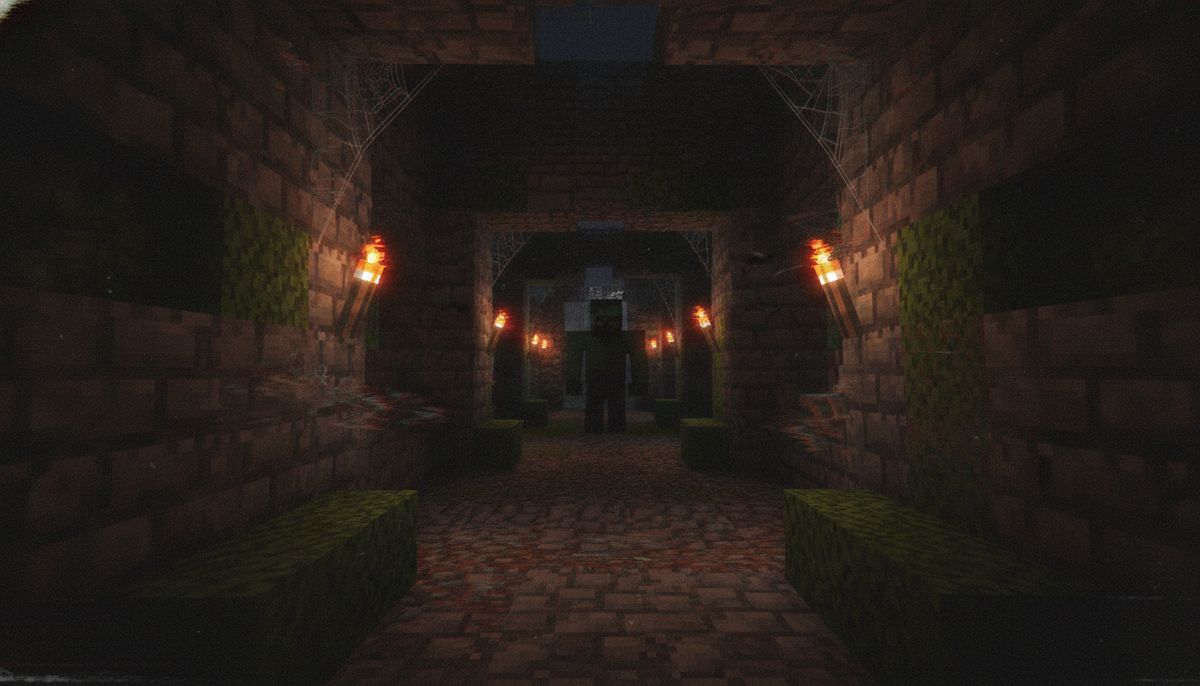
VHS texture packs have climbed past 60,000 downloads in 2026, dominating searches from horror map creators and content producers who want that analog camcorder aesthetic. The trend ties directly to the explosion of analog horror addons like Dwellers and Bloodbath. Players aren't just looking for new monsters—they want the complete found-footage experience, complete with scanlines, tracking glitches, and that grainy VHS look that makes every screenshot feel like a cursed tape from 1997.
These packs pair perfectly with horror-themed addons like Dwellers, turning routine survival sessions into cinematic nightmares. Mobile creators on iOS and Android have driven much of the demand, since VHS filters transform basic gameplay footage into viral content without needing external video editing software.
What VHS Texture Packs Actually Do
VHS texture packs add full-screen analog camcorder effects including scanlines, tape noise, grain, tracking interference, REC indicators, battery indicators, corner framing, and other VHS-style artifacts. The effect transforms your game window into a degraded analog recording, mimicking the look of old VHS camcorders and security camera footage.
The packs include scanlines, noise, and tracking effects with fullscreen support and multiple subpacks. You're not just slapping a static overlay on the screen. Animated interlaced-field luminance structure replaced old CRT-style tiled scanlines, making the effect feel authentic rather than like a cheap Instagram filter.
Different intensity levels let you dial in the exact amount of distortion you want. Some creators prefer subtle grain for atmospheric builds, while others crank the interference to maximum for full analog horror chaos.
Top VHS Packs for Bedrock Edition
VHS Filter by Pastahimself
The original VHS Filter by Pastahimself has over 60,000 downloads on CurseForge as of August 2026. It's the pack that started the trend. It includes scanlines, noise, and tracking effects with fullscreen support and subpacks.
The pack added Light, Medium, and Heavy subpacks with Medium written to the root overlay as a fallback, and fixed wide phone edge gaps by drawing filter layers inside a centered overscan panel. That last part matters for mobile players—early VHS packs left black bars on Android and iOS devices.
VHS Filter 2.0
VHS Filter 2.0 is an upgraded version built to give gameplay a more convincing analog camcorder look, with over 16,400 downloads. The Camcorder subpack isolates the OSD, while playback profiles contain no REC or camera HUD, giving you options for different recording scenarios.
The pack is ideal for horror maps, found-footage projects, abandoned-world gameplay, cinematic videos, and retro-themed adventures. It includes additional color grading for Vibrant Visuals while keeping the main VHS overlay available in standard graphics mode.
| Feature | VHS Filter (Original) | VHS Filter 2.0 |
|---|---|---|
| Downloads | 60,000+ | 16,400+ |
| Scanline Type | Static CRT-style | Animated interlaced |
| Subpacks | Light, Medium, Heavy | Camcorder, Playback profiles |
| REC Indicator | Optional | Separate subpack |
| Vibrant Visuals Support | No | Yes |
Bedrock VHS by PnTMC
Bedrock VHS by PnTMC is a relatively simple shader made to emulate the look of old VHS recordings with 49,800 downloads as of June 2026. It offers three TV screen frame options: rectangle, square, and none. The frame options let you simulate watching gameplay through an old CRT television, which pairs well with retro builds or analog horror scenarios where you want that extra layer of dated technology aesthetic.
How to Install VHS Texture Packs on Bedrock
Installation works the same across all Bedrock platforms—iOS, Android, and Windows 10. The process takes under two minutes once you have the .mcpack file.
Step 1: Download the VHS texture pack file. It should have a .mcpack extension. If it downloads as .mcpack.zip, rename it to remove the .zip portion.
Step 2: Tap or double-click the .mcpack file. Minecraft Bedrock should launch automatically and begin importing the pack.
Step 3: Open Minecraft and navigate to Settings, then scroll down to Global Resources.
Step 4: Find the imported VHS pack under My Packs and tap it to expand.
Step 5: Press Activate to enable the pack globally, or add it to individual worlds through the world settings menu.
Step 6: If the pack includes subpacks (like Light, Medium, Heavy intensity options), you'll choose your preferred version during activation.
Some packs require experimental features enabled, though most VHS filters work without it since they only modify visual overlays rather than game behavior. Check the pack description if you run into issues.
For a complete installation guide covering all addon types, see our article on how to download and install Minecraft mods on Bedrock Edition.
Bedrock Texture Packs Collection
Browse hundreds of texture packs including realistic, FPS-friendly, and themed options compatible with all Bedrock devices.
Browse Collection →Are VHS Texture Packs Safe to Use?
Texture packs are among the safest Minecraft modifications since they only change visuals—no code execution, no script files, no entity behavior modifications. VHS filters fall into this category. They alter what you see on screen but don't touch game mechanics, making them extremely low-risk compared to behavior packs or script-based addons.
That said, download sources matter. Stick to established platforms like CurseForge, MCPEDL, or trusted creator channels. Some creators ask you to join their Discord server and request permission before using the VHS filter in your own addons, which indicates they're actively maintaining and supporting the pack.
Avoid reupload sites or sketchy download pages with excessive ads and redirects. If a texture pack file is larger than 5-10 MB, question why—VHS overlays are primarily image files and shouldn't balloon to massive sizes.
For more guidance on safe downloading practices, check our guide on are Minecraft mods safe and how to download without viruses.
Performance Impact and Compatibility
VHS texture packs run smoothly even on low-end devices. Unlike shader packs that add ray tracing or advanced lighting calculations, VHS filters simply overlay image files onto your screen. The performance cost is minimal—usually 1-3 FPS drop at most, even on budget Android phones.
The VHS overlay may not be compatible with all displays, and the overlay can be cut off at the edges on some screens, though this will be addressed in future updates. Aspect ratio differences between devices cause this issue. Pack creators have largely solved it by centering overlays within overscan panels, but older versions might still show gaps on ultrawide or notched displays.
The packs work across Minecraft Bedrock versions 1.20 and above. Most creators update their packs regularly to maintain compatibility with new releases, so grab the latest version if you're running current Bedrock builds.
If you need maximum FPS for PvP or parkour alongside the VHS aesthetic, consider pairing a VHS pack with one of our FPS-friendly texture packs for low-end devices.
Best Horror Addons to Pair With VHS Filters
VHS texture packs amplify the atmosphere of horror addons. The visual degradation makes even basic survival feel unsettling, but paired with the right mods, you create genuine terror.
Dwellers Addon remains the most popular companion. The pack adds multiple stalker entities that watch from darkness and fog. Combined with VHS scanlines and tracking distortion, you can't tell if that shadow in the corner is a visual glitch or something hunting you.
Bloodbath Analog Horror Addon brings analog horror entities directly into Bedrock. The VHS aesthetic feels mandatory here—it's designed around that found-footage horror style where everything looks like cursed camcorder footage.
The One Who Watches creates persistent psychological dread through an entity that observes but rarely attacks. VHS filters enhance this by making you question every flicker and distortion on screen.
The Obsessed Horror Mod adds aggressive stalker behavior that escalates over time. The VHS overlay masks entity movements, letting them get closer before you notice.
For more recommendations, browse our collection of horror maps for Minecraft Bedrock or check the full horror addons category.
Creating Content With VHS Texture Packs
Content creators have driven much of the VHS pack popularity. The filters let mobile creators produce cinematic horror footage without external editing software. You record gameplay, the VHS effect is baked in, and you have instant analog horror aesthetics ready for TikTok, YouTube, or Instagram.
The packs work particularly well for:
Found-footage horror series: Document your survival world as if you're filming with a camcorder. Add narrative elements about "discovering these tapes" for extra immersion.
Analog horror shorts: Combine VHS filters with horror addons and horror maps to create short narrative experiences.
Nostalgia builds: Showcase old-school Minecraft builds through a VHS lens for that genuine 2011 Minecraft Alpha feeling.
Creepypasta recreations: Bring classic Minecraft creepypastas to life with authentic dated-recording visuals.
REC indicators and battery warnings add realism to the recordings. Camcorder OSD is isolated to specific subpacks, so you can toggle those elements on and off depending on whether you want the full camera interface or just the analog degradation.
Alternative Visual Mods for Retro Aesthetics
If VHS filters feel too intense or you want different retro vibes, several alternatives exist in the Bedrock ecosystem.
Gamma Texture Pack provides night vision without the analog distortion, useful if you want better visibility in dark horror maps without the VHS overlay obscuring details.
Security Camera Packs: Some VHS packs include security camera subpacks with different aspect ratios and timestamp overlays. These work well for surveillance-themed builds or FNAF-style maps.
CRT Shader Packs: Focus specifically on CRT monitor effects—curved screens, RGB phosphor grids, and bloom—without the tape degradation. Better for retro gaming aesthetics than horror.
For players who want pristine graphics but with different art styles, check our guides on faithful vs realistic vs cartoon textures or browse realistic texture packs.
Technical Details for Addon Creators
If you're interested in using VHS filters in your addon, you should join the creator's Discord server and request permission. Most VHS pack creators allow integration into horror addon projects, but they want to track usage and prevent unauthorized redistribution.
The packs function through overlay image files that Bedrock renders on top of gameplay. They don't require behavior packs or script files, making them compatible with virtually any other addon you're running. This also means they stack well—you can run VHS filters alongside weapons mods, furniture packs, or dimension addons without conflicts.
For creators building themed experiences, consider bundling VHS filters with your horror maps or addon packs. Just secure permission first and credit the original creator. Some pack developers even offer custom versions tailored to specific projects if you reach out.
If you're assembling multiple addons for a cohesive experience, read our guide on how to combine addons safely on Bedrock to avoid conflicts and load order issues.
Why the Analog Horror Trend Matters
The VHS texture pack surge reflects broader trends in Minecraft content creation. Players want atmospheric experiences, not just new blocks or weapons. The analog horror aesthetic taps into cultural nostalgia for found-footage horror films and early internet creepypastas.
Bedrock's mobile dominance amplifies this trend. Phone users need mods that run smoothly on limited hardware while still delivering strong visual impact. VHS filters nail both requirements—they're lightweight, platform-agnostic, and dramatically alter the game's mood.
The trend also shows how Bedrock addon creators are closing the gap with Java Edition. While Java had analog horror mods first, Bedrock versions now match or exceed Java quality, with better mobile optimization and broader device support.
Expect more variations in 2026: VHS filters with animated static, chromatic aberration effects, and integration with upcoming horror addon releases. The aesthetic has staying power beyond simple trend status.
Horror Maps Collection
Explore terrifying maps designed for VHS filters and horror addons, from escape rooms to survival horror experiences.
Browse Maps →VHS texture packs have evolved from niche visual mods into essential tools for horror content creators and atmospheric builders. Whether you're documenting a survival series, building analog horror narratives, or just want that unsettling found-footage vibe, these packs deliver authentic VHS aesthetics without destroying your framerate or requiring high-end hardware. Download one, pair it with a solid horror addon, and transform your Bedrock world into something that belongs on a corrupted tape discovered in someone's attic.