
Why Villager News Addon Is Breaking Download Records Right Now
The official Villager News addon for Minecraft Bedrock Edition is one of September 2026's most-searched mods. Released on September 8, 2026, by Oreville Studios and Element Animation, this addon transforms ordinary villagers into fully voiced characters with thousands of reactive lines straight from the beloved YouTube series. Players are searching for it because it has already reached 29,500 downloads on CurseForge and earned a 4.9-star rating with over 8,000 ratings on the Marketplace.
The timing couldn't be better. Element Animation's Villager News series has been a Minecraft community staple for over a decade, and now that deadpan villager personality lives inside your own worlds. The original Villager News animation launched on April 26, 2013, and the series has accumulated over 200 million total views. This addon marks the first time players can actually interact with those iconic talking villagers in survival gameplay.
What Makes the Villager News Addon Different From Other Villager Mods
Most villager addons focus on trades or professions. The Villager News mod takes a completely different approach by prioritizing personality and immersion. The addon features over 2,000 voiced reactions and reactive dialogue to mobs, blocks, player actions, plus expressive animations with lip synchronization. Every villager becomes a character rather than a silent merchant.
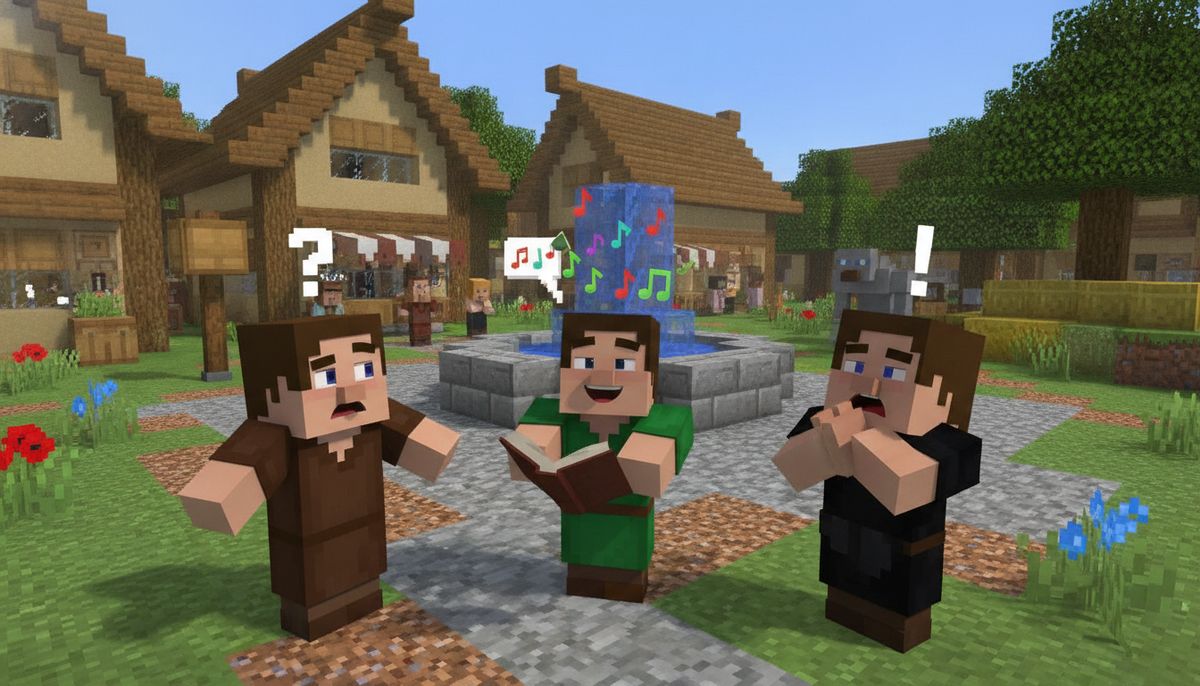
The addon gives ordinary villagers fully voiced dialogue and lets them react to what players, mobs, and blocks are doing around them. Walk near a creeper and villagers comment. Break a block or ring the village bell and you'll hear deadpan observations that feel like they were ripped straight from Element Animation's YouTube videos. Expressive animations and lip sync make conversations look closer to the animated series rather than simply replacing the usual hrmm noises with extra sound files.
Complete Feature Breakdown
The Villager News addon for Minecraft Bedrock brings a comprehensive overhaul to how villagers behave and interact. Here's what you actually get when you install it:
Voice and Dialogue System
The addon includes over 2,000 voiced reactions with reactive dialogue to mobs, blocks, and player actions. Villagers speak in the signature monotone voice fans know from the animations. Lines trigger contextually based on what's happening nearby, creating dynamic conversations that change each playthrough.
Visual Animations
Expressive animations and lip synchronization give villagers visible facial expressions and mouth movements synced to their speech. This makes interactions feel more alive than standard Bedrock villagers, who typically show no emotional response to world events.
Social Systems
Player reputation and gossip systems plus special characters with unique trades add a social layer to village gameplay. Your actions affect how villagers treat you over time. Help defend a village and gain better trades. Attack villagers and watch gossip spread through the population.
Special Characters
The addon introduces unique villager characters with custom trades and personalities. These special NPCs bring variety to villages and give players reasons to explore multiple settlements looking for rare characters.
| Feature Category | What It Does | Gameplay Impact |
|---|---|---|
| Voiced Reactions | 2,000+ context-aware voice lines | Villagers comment on combat, building, exploration |
| Lip Sync | Mouth movements match dialogue | Visual feedback during conversations |
| Reputation | Player actions affect villager behavior | Trade prices and dialogue change based on your history |
| Gossip | Villages share information about you | Actions in one village spread to nearby settlements |
| Special Characters | Unique villagers with rare trades | Exploration incentive and collectible NPCs |
How to Download and Install the Villager News Addon on Bedrock
The Villager News addon is available through two main channels, each with different installation processes depending on whether you're on mobile, Windows, or console.
Method 1: Official Minecraft Marketplace (Paid)
The addon can be purchased for 1,170 Minecoins on the Bedrock Edition Marketplace. The addon is compatible with Minecraft Bedrock version 1.21.120 and newer versions.
Installation steps for all platforms:
- Open Minecraft Bedrock Edition
- Navigate to the Marketplace tab
- Search for "Villager News" or "Oreville Studios"
- Purchase the addon for 1,170 Minecoins
- The addon installs automatically after purchase
- Create a new world or edit an existing one
- Under world settings, activate the addon under both Behavior Packs and Resource Packs
Marketplace purchases sync across devices using the same Microsoft account, so you only buy once.
Method 2: Free Community Version on CurseForge
A free version is available on CurseForge with over 29,500 downloads. This version may differ from the paid Marketplace release but offers similar voiced villager functionality.
For Windows 10 and 11:
Download the .mcpack or .mcaddon file from CurseForge, then double-click the file to automatically open it with Minecraft Bedrock Edition.
For Android devices:
Download a compatible Bedrock addon file, open it with Minecraft, wait for the "Successfully imported" message, then activate both Behavior Packs and Resource Packs in world settings. If the file downloads as .mcaddon.zip or .mcpack.zip, rename it and remove the extra .zip from the end.
For iOS (iPhone and iPad):
Download the addon file using Safari or another mobile browser. Tap the downloaded file and choose "Open in Minecraft." The addon imports automatically. Then activate it in your world settings under both pack categories.
Important activation step everyone misses:
Most addon problems come from missing the activation step. Opening the file only imports the addon. Both the Behavior Pack and Resource Pack must be turned on inside your world before anything appears in-game.
Is the Villager News Addon Safe to Download?
The Marketplace version carries Microsoft's official approval and is completely safe. The CurseForge version comes from community creators and should be downloaded only from verified sources.
Safety checklist for addon downloads:
- Use only CurseForge, Marketplace, or MCPEDL for Bedrock addons
- Check that the addon lists compatibility with your Minecraft version
- Read recent reviews for reports of bugs or conflicts
- Avoid sites promising "free versions" of paid Marketplace content through suspicious download links
- Make a backup of your world before installing any new addon
For a detailed breakdown of mod safety practices and how to avoid malicious files, check out our guide on Are Minecraft Mods Safe? How to Download Without Viruses.
The free CurseForge version and paid Marketplace version differ in support and updates. Marketplace purchases receive official patches and are guaranteed to work with future Minecraft updates. Community versions depend on creator maintenance and may stop working after major game updates.
Villager News Addon Performance and Compatibility
The addon is compatible with Minecraft Bedrock version 1.21.120 and newer versions. Players using older Minecraft versions need to update their game client before installing.
Performance varies by device. The addon adds voice files and animation scripts that increase memory usage compared to vanilla Minecraft. Mobile devices with 2GB RAM or less may experience lag in heavily populated villages. Windows 10/11 PCs and newer mobile devices handle the addon without noticeable performance drops.
Compatibility notes:
- Works with most other fun addons that don't modify villager behavior
- May conflict with other villager overhaul mods or custom NPC addons
- Compatible with texture packs that don't replace villager models
- Works on Realms but all players must have the addon installed
- Console players can only access the Marketplace version
For advice on running multiple addons together without conflicts, our How to Combine Addons Safely on Bedrock guide covers load order and troubleshooting.
Tips for Getting the Most Out of Villager News
The addon shines brightest in populated villages with active gameplay. Here's how to maximize the experience:
Build a news-worthy village. Large villages with 15 or more villagers create more dialogue opportunities. Different professions trigger different reactions, so aim for variety.
Trigger contextual dialogue. The 2,000 voice lines activate based on specific conditions. Fight mobs near villagers, trade frequently, ring the bell, and break or place blocks within their line of sight.
Test the reputation system. Protect villagers from zombie raids to boost your reputation. Attack villagers or destroy their workstations to see how gossip spreads and trades become more expensive.
Look for special characters. Unique villagers with custom trades appear in different villages. Explore multiple settlements to find rare characters and exclusive trade offers.
Pair with village expansion mods. The Villager News addon works well alongside addons that add new village structures or professions. Check out our Best Village Expansion Addons collection for compatible options.
Alternative Villager Mods and Related Addons
If you're looking for more ways to enhance villages or add interactive NPCs, these addons complement Villager News or offer different approaches to villager gameplay:
- Custom NPC addons let you create scripted characters with quest dialogue. Browse our Best Custom NPC Addons for options.
- Roleplay addons expand social interactions and add new dialogue systems. See Best Roleplay Addons for recommendations.
- Village overhaul mods add new structures, professions, and village types without voiced dialogue.
- Trading system mods focus on economy mechanics rather than personality.
For players interested in more lighthearted content similar to Villager News, our fun mods category includes comedy-focused addons and Easter egg collections.
Fun and Comedy Addons Collection
Discover more addons that add humor, Easter eggs, and lighthearted gameplay to Minecraft Bedrock, including meme mods and animated characters.
Browse Fun Addons →Frequently Searched Questions About Villager News Addon
Does Villager News work on Java Edition?
No. The 2026 Villager News 1.0 release is a Minecraft Bedrock Marketplace addon created by Oreville Studios with Element Animation. Java Edition uses a different modding framework incompatible with Bedrock addons. Java players would need a separate mod created specifically for that version.
Can I use Villager News on a multiplayer server?
Yes, but with requirements. For Realms servers, upload a world with the addon already activated and all players will experience it. For dedicated Bedrock servers, you must manually install the addon files into the server's behavior pack and resource pack folders. All connecting players need compatible Minecraft versions.
What's the difference between the free and paid versions?
The official Marketplace version costs 1,170 Minecoins and receives ongoing support from Oreville Studios. Free versions on CurseForge are community-created alternatives that may have fewer features, different voice acting, or lack official updates. Features, quality, and compatibility vary between free versions.
How much does 1,170 Minecoins cost in real money?
Minecoin pricing depends on your platform and region. 1,170 Minecoins are roughly equivalent to 6.13 USD or 5.78 EUR, though this value may vary depending on currency and country.
Will this addon break my existing world?
The addon modifies villager behavior but doesn't change world generation or existing structures. Your builds, items, and progress remain intact. Always create a world backup before installing any addon as a safety precaution.
Why This Addon Matters for Bedrock Players
Element Animation is most well-known for creating parody animations based on Minecraft, notably the Villager News series, which led to them animating the game's official trailers in recent years. The partnership between Oreville Studios and Element Animation represents official recognition of fan content that has defined Minecraft's community culture for over a decade.
For Bedrock players specifically, this addon fills a gap Java Edition has enjoyed for years through extensive NPC and dialogue mods. Bedrock's addon system traditionally lags behind Java in complexity, but projects like Villager News demonstrate that personality-driven content is finally reaching Bedrock players without requiring external tools or jailbreaking mobile devices.
The addon also showcases what's possible with Bedrock's animation and sound systems. The addon includes more than 2,000 voiced reactions, with villagers commenting on mobs, blocks, and player actions while expressive animations and lip sync make conversations look closer to the animated series. This level of polish sets a new standard for what community creators and official Marketplace partners can achieve.
If you're building a village-focused survival world, adding roleplay elements to multiplayer servers, or simply want to hear villagers deliver deadpan news commentary while you mine, the Villager News addon delivers exactly what the YouTube series promised: personality in every interaction.
More Ways to Enhance Villages
Explore addons that expand village buildings, add new professions, improve trading mechanics, and create immersive settlement experiences in Bedrock Edition.
Browse Village Addons →