Why Everyone is Searching for WorldEdit on Bedrock Right Now
Professional builders have long enjoyed WorldEdit on Java Edition. The addon has finally bridged that gap for Bedrock players. WorldEdit: Bedrock Edition is an addon port of the famous WorldEdit mod for Minecraft: Java Edition, and the community response has been massive. The addon has generated over 152,000 downloads on CurseForge, while bony162's alternative WorldEdit addon has accumulated over 461,000 downloads.
The timing matters. Recent updates have made WorldEdit more accessible than ever. Bony162's version does not require experimental features and works on version 1.21.50 or newer, removing a major barrier for players who want stability. Meanwhile, SIsilicon's version 0.10.4 specifically removed a module preventing the addon from being used on Aternos servers, opening the door for multiplayer builders on that popular hosting platform.
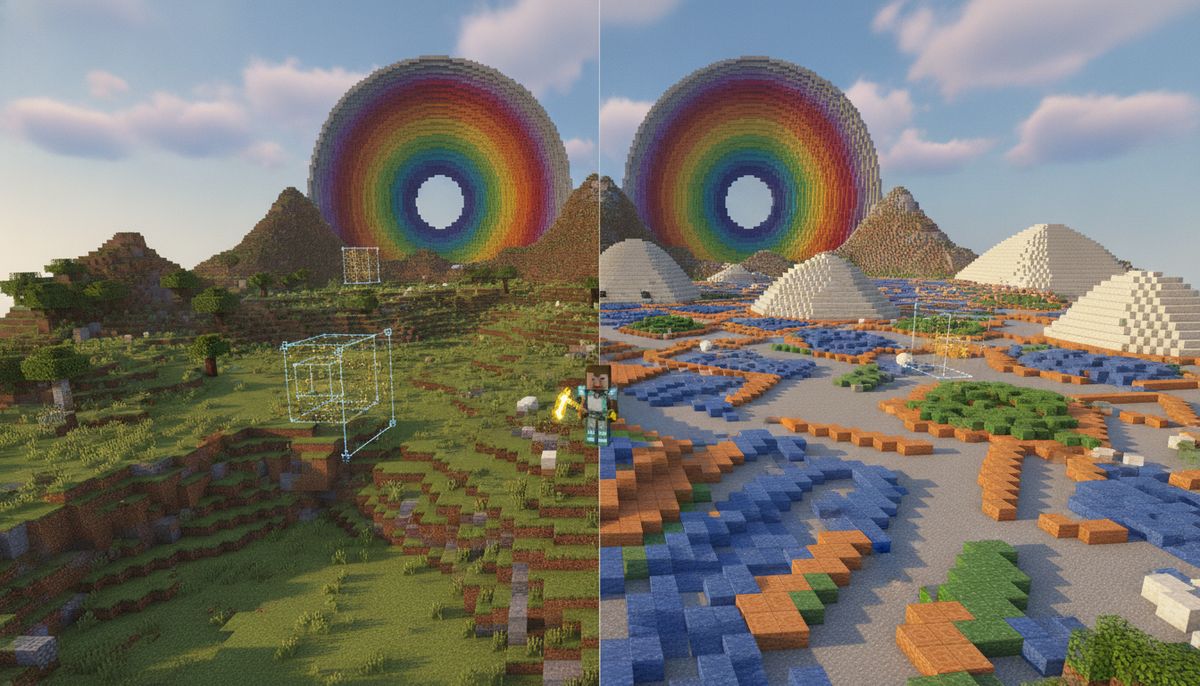
Building manually takes forever. Placing thousands of blocks by hand for a castle wall or terraforming a mountain range is tedious work. WorldEdit solves that problem with tools that let you copy entire structures, fill massive areas, and sculpt terrain in seconds instead of hours.
What WorldEdit Brings to Bedrock Edition
The addon comes with custom commands to make building easier and more fun, along with items to make it accessible for anyone on any device. That last part is crucial for Bedrock's cross-platform nature.
WorldEdit for Minecraft Bedrock is an open-source addon by SIsilicon that ports the Java Edition WorldEdit toolkit to Bedrock devices, adding selection wands, clipboard operations, masks, brushes, and shape generators driven through chat commands and custom items.
Core features include:
Selection and Manipulation
Selection wands and region commands for marking cuboids, then editing them as one block. Left-click one corner, right-click the opposite corner, and the entire area becomes your canvas.
Clipboard Tools
Clipboard tools for cut, copy, paste, flip, rotate, and schematic-style structure transfer. Build a house once, then paste it across your world as many times as needed. The location of the paste is relative to the selection when you last copied or cut, and if you sneak while using the tool you can rotate or flip the clipboard before pasting.
Shape Generation
Shape generators for spheres, pyramids, cylinders, and other primitives at arbitrary size. Creating a perfect dome or circular tower becomes a single command instead of painstaking block placement.
Terrain Brushes
Brushes for painting, smoothing, and replacing blocks across large areas. Sculpt mountains, carve valleys, or paint entire forests with a few clicks.
Masks and Patterns
Masks and patterns so commands act on specific block types or apply multi-block fills. Replace only dirt blocks in a selection, or fill an area with a randomized mix of stone variants for natural-looking terrain.
Undo and Redo
Undo and redo history per player, plus session management for longer build runs. Made a mistake? Simply undo it. Every builder needs this safety net.
The addon also includes a convenient WorldEdit kit to access common features, which is especially helpful for players on mobile devices or consoles where typing commands can be cumbersome.
More Building Tools and Items
Discover other addons that expand your creative toolbox with new blocks, items, and building utilities for Minecraft Bedrock.
Browse Tools and Items →How to Download and Install WorldEdit on Bedrock
Two main versions exist. SIsilicon's original port and bony162's alternative. Both work, but they have different requirements and features.
Installation Steps for SIsilicon's Version
Once you have downloaded the addon, simply open it with Minecraft to get it imported, though mobile users may need a file explorer that allows opening the addon with Minecraft, with CX File Explorer and Documents recommended for Android and iOS respectively.
- Download the WorldEdit.mcaddon file from CurseForge or the official GitHub releases page
- Windows: Double-click the file to open with Minecraft
- Android: Use CX File Explorer to open the file with Minecraft
- iOS: Use the Documents app to open the file with Minecraft
- In a new world or an already existing one, add WorldEdit in Behaviour Packs and WorldEdit [RES] in Resource Packs, then enable Beta APIs in Experimental Features and create or enter the world
This addon requires experimental features, so make a backup of your world to be on the safe side. The Beta APIs toggle is essential for the addon to function.
Installation for bony162's Version
This version requires at least version 1.21.50 or newer and you must download and activate both Behavior and Resource Packs. The major advantage is it does not require experimental features, making it safer for existing worlds and compatible with more multiplayer servers.
The installation process follows the same basic steps, but without the experimental toggle requirement. This makes it the better choice for players concerned about world stability.
Server Installation
This addon can be installed on server hosting sites such as Aternos. However, the process differs slightly. To properly add this addon to an Aternos server, you first need to upload an already existing world with the required experimental features enabled (do not add the addon to the world directly), then install the addon separately in the server's packs folder.
Getting Started
After installation, read the quick start section in Settings > How to Play while playing in a WorldEdit enabled world for a short guide on how the addon works. The in-game documentation provides immediate help without switching to a browser.
To verify the addon is working, type /worldedit kit or ;kit to receive the WorldEdit item kit. You should get a set of tools including the selection wand, copy, paste, undo, and redo items.
If you are interested in similar building-focused content, check out our guide on Best Building Mods for Minecraft Bedrock for more construction tools.
Essential WorldEdit Commands for Bedrock
WorldEdit commands in Bedrock use a semicolon (;) prefix instead of the double slash (//) used in Java Edition. This prevents conflicts with Bedrock's native commands.
Basic Commands
| Command | Function |
|---|---|
;help |
Get a list of available commands |
;worldedit version |
Get WorldEdit version |
;kit |
Receive the WorldEdit item kit |
;limit [number] |
Set the number of blocks you can change per action |
Selection Commands
| Command | Function |
|---|---|
;wand |
Get the selection wand (wooden axe) |
;pos1 / ;pos2 |
Set selection corners at your current position |
;hpos1 / ;hpos2 |
Set selection corners at the block you are looking at |
Clipboard Commands
| Command | Function |
|---|---|
;copy |
Copy the current selection to the clipboard |
;cut |
Cut whatever is in your selection to the clipboard, replacing it with air |
;paste |
Paste your clipboard into the world |
Region Editing
Commands for directly modifying selected areas include ;set, ;replace, ;walls, ;faces, and more. The syntax mirrors Java Edition but with the semicolon prefix.
History Commands
| Command | Function |
|---|---|
;undo |
Undo your previous action |
;redo |
Redo an undone action |
;clearhistory |
Clear your edit history |
The addon also includes special items for players who prefer not to type commands. Main items in the kit include Copy to copy your selection to the clipboard, Cut to cut whatever is in your selection to the clipboard with the selection replaced by air, and Paste to paste whatever is in your clipboard to the world.
Is WorldEdit for Bedrock Safe and Legitimate?
Yes, both major versions are safe when downloaded from official sources. WorldEdit for Minecraft Bedrock is an open-source addon by SIsilicon, and the code is publicly available on GitHub. This transparency allows the community to inspect the addon and verify it contains no malicious code.
The addon uses Bedrock's scripting Beta APIs and can run on dedicated Bedrock servers that allow Beta APIs and behavior pack uploads. These are official Minecraft features, not exploits or hacks.
The main safety concern is world backups. This addon requires experimental features, so make a backup of your world to be on the safe side. Experimental features can occasionally cause instability, and WorldEdit's powerful editing capabilities mean a mistake could accidentally delete large portions of your build.
For players worried about experimental toggles, bony162's version does not require experimental features, offering a safer alternative for existing worlds.
Download only from trusted sources like CurseForge, MCPEDL, or the official GitHub repository. Avoid reupload sites that might bundle the addon with unwanted modifications. For more information on safely downloading Minecraft addons, read our guide on Are Minecraft Mods Safe?.
Version Compatibility and Updates
The current release (v0.10.4) lists Bedrock 1.21.130 as the supported version, and older Bedrock versions need a matching older release of the addon. Always check which version you are running before downloading.
SIsilicon actively maintains the addon with regular updates for new Minecraft versions. Recent versions include:
- v0.10.4 (Latest stable): Hotfix that removes a module preventing the addon from being used on Aternos servers
- v0.11.0-beta series: Introducing support for Editor Mode, allowing you to interact with WorldEdit features without using just commands
- v0.9.x series: Various compatibility updates for Minecraft 1.21.x versions
Bony162's alternative addon follows a different versioning system and is currently at v1.7, with support for Minecraft 1.21.50 and newer versions.
Both creators release updates within days or weeks of major Minecraft updates, ensuring compatibility with the latest Bedrock features.
Performance Tips and Best Practices
WorldEdit can modify millions of blocks. That power requires care.
Start Small
Test commands on a small selection first. A ;set command that works on 100 blocks will work the same on 100,000 blocks, but the latter cannot be easily fixed if you made a mistake.
Use Performance Mode
Performance Mode runs WorldEdit in a mode where the clipboard is saved in a simpler format, allowing you to copy, cut, and paste more quickly. Enable this for large operations.
Set Limits
The ;limit command prevents accidental massive edits. Set it to a reasonable number based on your device's performance. Mobile devices should use lower limits than high-end PCs.
Backup Frequently
Make world backups before major terraforming projects. A single mistyped command can delete hours of work.
Master Undo
The undo system is your best friend. Learn it before attempting complex edits. Each player has their own undo history, which is essential for multiplayer servers.
Optimize Selections
Smaller selections process faster. Use masks to limit operations to specific blocks instead of selecting entire mountains.
Alternative Building Addons and Related Tools
WorldEdit excels at large-scale editing, but other addons serve different building needs.
Quick Build Addon provides instant structure generation for players who want pre-made buildings without the manual editing process.
Plenty of Blocks Addon expands your building palette with hundreds of new decorative blocks, perfect for adding detail after using WorldEdit to create the basic structure.
For players interested in automated building, explore our collection of tools and items addons that include construction helpers, building guides, and other utilities that complement WorldEdit's capabilities.
If you enjoy creative building, you might also appreciate our curated list of Best Building Mods for Minecraft Bedrock which covers addons for decoration, furniture, and architectural elements.
Advanced Features and Editor Mode Integration
Recent versions of SIsilicon's WorldEdit have introduced Editor Mode support, a significant advancement for Bedrock builders. With this new integration you can interact with WorldEdit features without using just commands, as WorldEdit's selection now syncs up with editor mode.
Editor Mode is Microsoft's official visual editing tool for Bedrock, and WorldEdit's integration means you can now combine the precision of manual selection with the power of bulk editing commands. This makes WorldEdit more accessible to players who find command syntax intimidating.
The addon includes brush tools that extend beyond basic painting. Recent updates added terrain generation commands specifically designed for natural-looking landscapes. These go beyond simple shape generation to create organic terrain features that blend seamlessly with existing world generation.
An app by 8Crafter called Bedrock World Editor has WorldEdit support that allows you to do more than the addon alone, currently helping with exporting structures to other worlds and changing biomes. This companion app extends functionality beyond what behavior packs can accomplish on their own.
For more advanced builders, the addon supports complex patterns and masks. You can create multi-layer walls with randomized block distribution, apply gradients across terrain, or selectively edit only specific block types within a selection. These features bring professional-grade terrain sculpting to Bedrock.
The combination of WorldEdit with other building-focused addons creates a complete creative toolkit. Pair it with our furniture mods for interior design after using WorldEdit to construct the building shell, or combine it with our blocks and game addons for expanded block palettes.
Multiplayer Considerations and Server Use
WorldEdit shines in multiplayer environments where collaborative building happens. Multiple players can work on the same project simultaneously, each with their own clipboard and undo history.
Server administrators should set appropriate permissions and limits. Unrestricted WorldEdit access allows players to accidentally or intentionally grief builds. Most server hosting platforms support permission systems that let you grant WorldEdit to trusted builders while restricting it from regular players.
This addon can be installed on server hosting sites such as Aternos, and the recent update specifically addressed compatibility with that platform. For other hosting providers, check whether they support behavior packs with Beta APIs or scripts.
The addon's cross-platform nature means mobile, console, and PC players can all use the same WorldEdit tools on the same server. The item-based interface ensures mobile players are not disadvantaged compared to PC players with keyboards.
For creative servers focused on building competitions or community projects, WorldEdit becomes an essential tool. It levels the playing field, allowing builders to focus on design rather than tedious block placement. Many of the impressive builds featured in adventure maps and building showcases were created with WorldEdit assistance.
The combination of WorldEdit with our curated Bedrock modpacks creates comprehensive building experiences. Many builders combine WorldEdit with visual enhancement addons like realistic texture packs and shader-style resource packs for the complete creative workflow.
WorldEdit represents a fundamental shift in how Bedrock players approach large-scale building projects. What once took days of manual labor now takes minutes. Terrain that seemed impossible to shape becomes manageable. Structures that were too complex to build by hand become achievable.
Whether you are a solo builder working on a massive castle, a server administrator preparing spawn areas, or part of a creative team constructing an entire city, WorldEdit provides the tools to transform your vision into reality. Download it through our tools and items collection and discover why hundreds of thousands of Bedrock builders consider it essential.