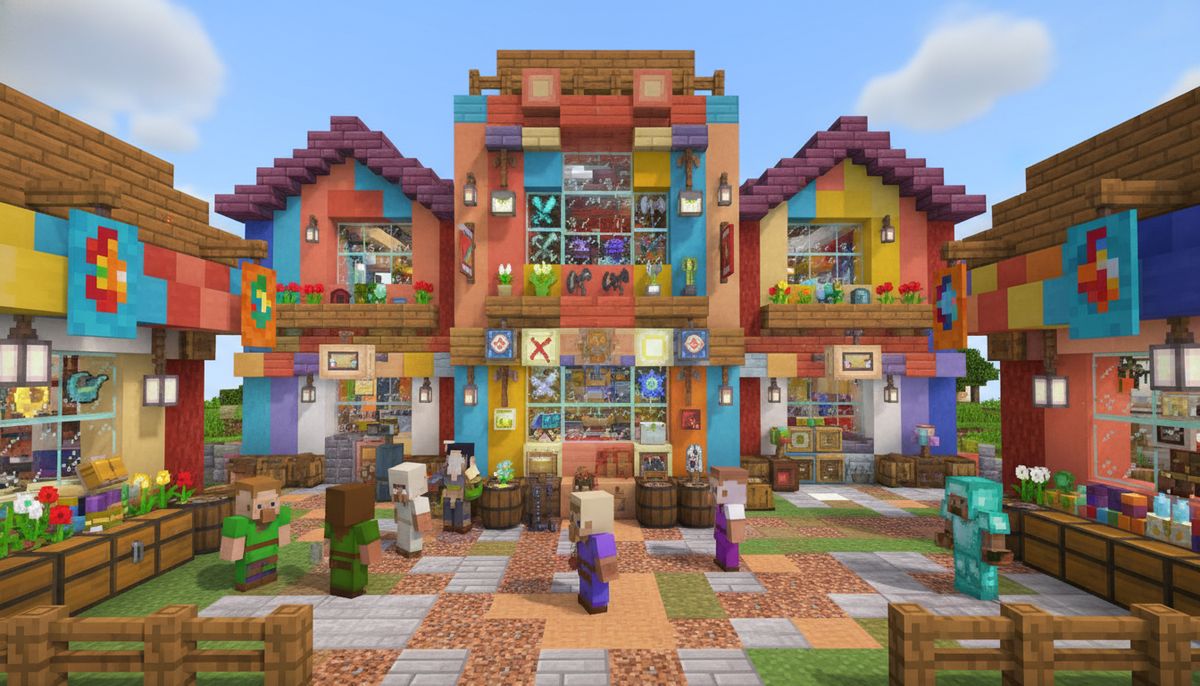

Trading systems transform single-player survival into dynamic economies where every diamond, emerald, and enchanted book has market value. Shop addons for Minecraft Bedrock let you build storefronts, set custom prices, and create functioning currency systems without command block complexity. These mods bring commercial gameplay to realms and servers, turning resource collection into profit-driven enterprises.
Bedrock Edition's addon system supports sophisticated trading mechanics through behavior packs and scripting APIs. Modern shop mods include GUI-based transactions, villager merchant customization, automated vending machines, and player-to-player marketplaces. Some addons integrate with existing game mechanics like emeralds and gold, while others introduce new currency items and banking systems that rival Java Edition's most popular economy plugins.
The right trading addon depends on your server type and playstyle. Survival-focused mods enhance villager trading with better deals and rare items. Roleplay servers need decorative shop blocks and customizable storefronts. PvP realms benefit from weapon and armor vendors with tiered pricing. This guide covers the essential addons that power Bedrock's most successful economy servers.
Explore Fun Gameplay Mods
Discover addons that add new mechanics, challenges, and interactive systems to your Minecraft world.
Browse Collection →Currency and Banking Systems
Functional economies need standardized currency before shops can operate. Currency addons replace barter systems with mintable coins, paper money, or digital wallet interfaces. These mods establish value standards that prevent inflation and enable large-scale trading.
Coin-based systems use custom items with rarity tiers—copper, silver, and gold coins that represent 1, 10, and 100 value units. Advanced banking addons include ATMs, deposit chests, and account balance displays using scoreboards. Players withdraw physical currency or transfer funds through command-triggered transactions.
Digital wallet systems store currency as scoreboard objectives rather than inventory items. This prevents item duplication exploits and supports transactions exceeding inventory limits. GUI menus display balances, transaction histories, and transfer options. Some addons integrate with Bedrock's forms API to create authentic banking interfaces with buttons and text fields.
Tax and interest mechanics appear in economy-focused addons designed for multiplayer servers. Automated systems deduct percentages from transactions or add passive income to player accounts over time. Server administrators configure rates through JSON files, balancing wealth accumulation with resource scarcity. These features work particularly well alongside survival mods that increase resource gathering difficulty.
Custom Villager Trading Mods
Villager trading gets significant upgrades through behavior pack modifications. Custom trade addons let you define exact emerald costs, stock limits, and unlock requirements for any item in the game. JSON-based configurations replace vanilla trade tables with curated deals that support custom progression systems.
Trade rebalancing mods address vanilla imbalances like librarian mending books and farmer emerald loops. These addons increase rare enchantment costs, add prerequisite trades, and introduce cooldown periods between restocks. Some versions gate powerful trades behind player achievements or require multiple villager professions working together.
Specialized merchant types expand beyond the 15 vanilla professions. Custom villagers sell modded items from other addons—weapons, armor, vehicles, and magical equipment. Each merchant features unique textures, workstation blocks, and trade progression tiers that unlock through repeated transactions.
Wandering trader overhauls transform these merchants from curiosities into essential services. Enhanced versions sell biome-specific resources, rare mob drops, and time-limited seasonal items. Route-based traders visit player bases on schedules, creating anticipation around their arrival. Some mods add storage carts where traders accumulate purchased items, enabling bulk sales that deplete their inventory.
Player Shop and Store Addons
Physical storefronts require blocks that function as purchase interfaces. Shop sign addons turn text displays into clickable vendors—players right-click signs displaying item names and prices to complete transactions. Stock quantities update automatically, and funds transfer between seller accounts through backend scripting.
Chest shop systems link containers to trade interfaces. Place a chest, add inventory, and attach pricing information through commands or configuration blocks. Customers interact with the chest to view contents and buy items directly. These setups support both admin-run server shops and player-operated market stalls in designated commercial districts.
Vending machine mods create automated purchase points using custom blocks or retextured dispensers. Insert currency items or trigger scoreboard deductions, then receive products through item dispensing mechanics. Advanced versions feature GUI menus showing multiple products, stock levels, and quantity selectors. Animation effects and sound cues provide tactile feedback for successful purchases.
Mall and marketplace addons include prefabricated shop buildings with integrated trading systems. These structures come with designated vendor spaces, storage rooms, and currency exchange offices. Some versions include NPC shopkeepers with custom dialogue trees and faction reputation systems that unlock exclusive inventory tiers.
Auction and Marketplace Systems
Auction house addons enable asynchronous trading where buyers and sellers never meet directly. Sellers list items with starting bids and durations, then collect payment when auctions close. GUI interfaces show active listings, bid histories, and filtering options by item type or price range.
Bidding mechanics use scoreboard objectives to track competing offers. Players submit bids through command interfaces or custom blocks, with automatic outbid notifications. Some systems support buyout prices for instant purchases and reserve prices that prevent lowball wins. Anti-sniping features extend auction timers when last-minute bids arrive.
Player-to-player trading addons create secure exchange interfaces preventing scams. Both parties place offered items in protected GUI slots visible to each other. Trades execute only when both players confirm, transferring items simultaneously without drop-based vulnerabilities. These systems work exceptionally well on multiplayer servers with active economies.
Global marketplace mods aggregate listings across entire servers or connected realms. Centralized databases store all active offers, allowing players to search inventory from anywhere. Location-based pickup systems require buyers to visit specific coordinates to collect purchased items, encouraging exploration and territorial shop competition.
Economy Balancing Tools
Price management addons help administrators maintain stable markets. Dynamic pricing systems adjust costs based on supply and demand—popular items increase in price while overstocked goods depreciate. Server operators configure elasticity rates and minimum/maximum bounds to prevent extreme fluctuations.
| Feature | Basic Economy | Advanced Economy | Enterprise Economy |
|---|---|---|---|
| Currency Types | 1 (Emeralds) | 3 (Coins) | Digital + Physical |
| Shop Types | Admin Only | Player Shops | Auctions + Markets |
| Price Controls | Fixed | Manual Adjust | Dynamic + Analytics |
| Banking | None | Chests | ATMs + Interest |
Resource sink mechanisms prevent inflation by removing currency from circulation. Tax systems on transactions, shop stall rental fees, and prestige item purchases create constant drains on wealth accumulation. These mechanics balance against farms and generators that produce infinite tradeable resources.
Transaction logging tracks all economic activity through backend databases or scoreboard histories. Administrators review logs to identify exploits, track wealth distribution, and analyze trading patterns. Some addons generate visual reports showing most-traded items, richest players, and shop performance metrics.
Starting capital systems give new players seed money for initial trades. Configurable welcome bonuses, quest rewards, or daily login stipends prevent economic barriers to entry. Tutorial systems explain currency mechanics and guide players to beginner-friendly shops, reducing confusion in complex server economies.
Themed Shop Collections
Medieval marketplace addons bundle period-appropriate vendor stalls with ye olde pricing systems. Blacksmith weapon vendors, apothecary potion merchants, and stable mount traders create immersive commercial districts for medieval roleplay servers. These packs include decorative blocks like market tents, merchant carts, and cobblestone shop facades.
Futuristic trade stations feature holographic displays and automated kiosks for tech and sci-fi servers. Vending machines dispense energy weapons, cybernetic upgrades, and spaceship components. Currency systems use digital credits with wireless transfer capabilities and account chip items that store balances electronically.
Fantasy bazaar mods introduce mystical merchants selling enchanted artifacts and magical reagents. Alchemist shops offer custom potions with modded effects, while arcane libraries trade spell scrolls and ritual components. These systems integrate smoothly with magic addons, creating unified progression where gold funds magical advancement.
Post-apocalyptic traders operate from fortified bunkers in wasteland settings. Scavenger merchants buy junk items at bulk rates and sell rare pre-war tech at premium prices. Barter systems replace traditional currency, with ammunition and medical supplies serving as trade goods. These themes complement zombie survival scenarios perfectly.
Enhance Your Builds
Check out furniture and decoration mods to create authentic shop interiors and commercial districts.
Browse Collection →Practical Implementation Tips
Start with currency systems before installing shop mods. Establish your economy's foundation—whether emerald-based, custom coins, or digital wallets—then configure exchange rates and starting balances. Test currency acquisition rates by playing normally for an hour and checking if earnings feel rewarding yet balanced.
Shop placement matters for server engagement. Create centralized commercial districts near spawn points rather than scattered isolated vendors. Designate plots for player-owned shops with standardized dimensions and clear signage. Competition between neighboring shops drives competitive pricing and market diversity.
Stock management requires regular maintenance in player-run economies. Sellers must restock inventory, adjust prices based on competition, and remove outdated listings. Automated restock systems using hoppers and dispensers reduce manual labor while maintaining product availability. Consider rental fees for shop spaces to ensure active merchants retain premium locations.
Price discovery takes time in new server economies. Administrators should publish suggested pricing guides for common items based on gathering difficulty and utility. Let markets adjust naturally over weeks, intervening only to prevent extreme inflation or deflation. Player-driven pricing creates more authentic economic ecosystems than rigid admin-set values.
Integration with progression systems makes shops feel essential rather than optional. Gate certain enchantments, rare blocks, or tools behind shop purchases only. This creates natural money sinks while rewarding exploration and trading activity. Balance availability so shops supplement rather than replace traditional gameplay loops like mining and farming.
Anti-exploit measures protect economy integrity. Disable item duplication glitches through behavior pack restrictions and monitor suspicious wealth accumulation. Set purchase limits on powerful items and implement cooldowns between big transactions. Regular server backups let you roll back economic disasters without punishing legitimate players.
Cross-addon compatibility requires testing before public deployment. Install trading mods alongside your existing food, weapons, and crafting addons in creative mode first. Verify modded items appear in shop inventories correctly and transactions complete without errors. Check how to combine addons safely for conflict resolution strategies.
Choosing the Right Trading Setup
Survival servers benefit most from villager enhancement mods that improve vanilla trading without adding complexity. Custom trades with balanced pricing keep progression feeling earned while reducing grind. Add simple player shops for endgame wealth redistribution without overwhelming new members.
Roleplay and creative servers should prioritize decorative shop systems with extensive customization. GUI-based purchasing feels less immersive than physical storefronts with NPC merchants. Themed marketplace collections provide ready-made commercial districts that fit specific server aesthetics and narratives.
Economy-focused servers need comprehensive systems—digital currency, auction houses, dynamic pricing, and administrative tools. These complex setups require dedicated configuration and ongoing balance adjustments but create the deepest trading gameplay. Player economies become content unto themselves, with merchant roleplay and market speculation as engaging as traditional survival mechanics.
Small private realms work well with simple chest shops and emerald currency. Avoid overcomplicating friend group servers with enterprise-grade economy systems. Focus on convenient item exchange between members rather than competitive market dynamics. A few well-stocked admin shops provide access to hard-to-find resources without extensive trading infrastructure.
Testing different systems helps identify what works for your community. Run trial periods with various shop mods and gather player feedback about usability and enjoyment. The best trading addon enhances your existing gameplay rather than dominating it—economy systems should facilitate fun rather than becoming tedious maintenance tasks.